Initially the codes i have would run and display an interactive webpage but now when i click on the index to display the page it displays the code instead
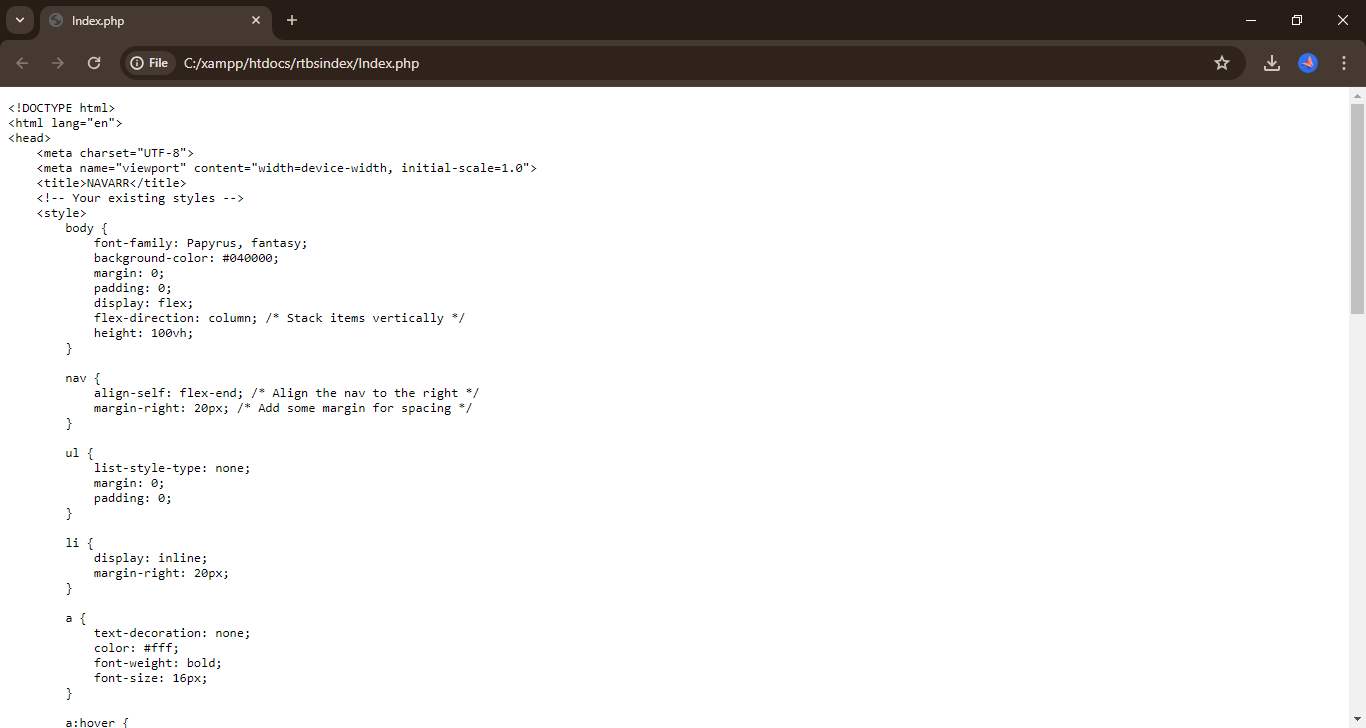
Please post your actual code instead of a screenshot. Thanks
<!DOCTYPE html>
<html lang="en">
<head>
    <meta charset="UTF-8">
    <meta name="viewport" content="width=device-width, initial-scale=1.0">
    <title>NAVARR</title>
    <!-- Your existing styles -->
    <style>
        body {
            font-family: Papyrus, fantasy;
            background-color: #040000;
            margin: 0;
            padding: 0;
            display: flex;
            flex-direction: column; /* Stack items vertically */
            height: 100vh;
        }

        nav {
            align-self: flex-end; /* Align the nav to the right */
            margin-right: 20px; /* Add some margin for spacing */
        }

        ul {
            list-style-type: none;
            margin: 0;
            padding: 0;
        }

        li {
            display: inline;
            margin-right: 20px;
        }

        a {
            text-decoration: none;
            color: #fff;
            font-weight: bold;
            font-size: 16px;
        }

        a:hover {
            color: #ffdead;
        }

        /* Slideshow styles */
        #slideshow-container {
            flex: 1; /* Take up the remaining space */
            max-width: 1000px;
            position: relative;
            margin: auto;
            margin-top: 20px;
        }

        .mySlides {
            display: flex;
        }

        img {
            width: 100%;
            height: 500px;
            border-radius: 5px;
        }
    </style>
</head>
<body>
<!-- Slideshow container -->
    <div id="slideshow-container">
        <!-- Slides -->
        <div class="mySlides">
            <img src="welcome.jpg" alt="Welcome">
        </div>
        <div class="mySlides">
            <img src="entrance.jpg" alt="Entrance">
        </div>
        <div class="mySlides">
            <img src="seats.jpg" alt="Seats">
        </div>
        <div class="mySlides">
            <img src="food.jpg" alt="Food">
        </div>
    </div>

    <script>
        // JavaScript for the slideshow
        var slideIndex = 0;

        function showSlides() {
            var i;
            var slides = document.getElementsByClassName("mySlides");
            for (i = 0; i < slides.length; i++) {
                slides[i].style.display = "none";
            }
            slideIndex++;
            if (slideIndex > slides.length) {
                slideIndex = 1;
            }
            slides[slideIndex - 1].style.display = "block";
            setTimeout(showSlides, 2000); // Change slide every 2 seconds
        }

        // Start the slideshow when the page loads
        window.onload = function () {
            showSlides();
        };
    </script>

    <?php
    // Your existing PHP code
    ?>
</body>
</html>
I’ve edited your code for readability. When you enter a code block into a forum post, please precede it with a separate line of three backticks and follow it with a separate line of three backticks to make it easier to read.
You can also use the “preformatted text” tool in the editor (</>) to add backticks around text.

See this post to find the backtick on your keyboard.
Note: Backticks (`) are not single quotes (').
Hi,
I see you are running Xampp, and the file is already in a folder in htdocs.
You should be good to go:
-
In the Xampp menu, check if the Apache server is active. If not, start it
-
Open a browser of your choice and enter localhost/rtbsindex/index.php
-
Your page should be displaying now