Totally lost on Profile Lookup

I tried this but it doesn’t work. I didn’t know embedded if statements existed until now so I’m unfamiliar with them.

function lookUpProfile(name, prop) {
// Only change code below this line
for (let i = 0; i < contacts.length; i++){
if (name == contacts[i].firstName){
if (contacts[i].hasOwnProperty(prop)){
return contacts[i][prop];
}
else{
return "No such property";
}
}
else return "No such contact";
}

// Only change code above this line
}

let’s format it nicely

function lookUpProfile(name, prop) {
  // Only change code below this line
  for (let i = 0; i < contacts.length; i++) {
    if (name == contacts[i].firstName) {
      if (contacts[i].hasOwnProperty(prop)) {
        return contacts[i][prop];
      } else {
        return "No such property";
      }
    } else return "No such contact";
  }

  // Only change code above this line
}

and let’s think of this… right now, when i is 0, something is always returned.

try to look at your code with this tool: JavaScript coding tutor - Learn JavaScript by visualizing code execution

Do I need to change the value of i in one of if’s? But far as I know that would break the loop. Do I need two loops?

Also I ran the code though the tool but I don’t know what the results mean. It says something about a global frame and lookUpProfile. But I don’t know what a global frame is.

Try walking through the logic by hand here.

    lookUpProfile("Harry", "likes");

What happens on the first loop iteration, line by line?

Does the name match for contacts[0]? What happens if the name does not match?

I guess more experienced people than me will explain you about frames soon enough.
To get something useful from python tutor in this case you need to place there all your code from this task, not just some snippet.

…I didn’t paste all the code in, just the bit I did. Whoops. That’s likely why I’m not getting much feedback from the tool.

other than the whole function, you also need to include a function call

Yes, you need an object and a function call for it to work

Okay the loop searches lastName for some reason? I don’t understand why though. It should start with firstName as that’s the first property.

And changing i won’t make it go to firstName. I don’t know why it won’t check the firstName when that’s what’s in the code to check.

It does not search the last name. It checks the first name. That’s what this part says:

Why do you think it checks the last name?

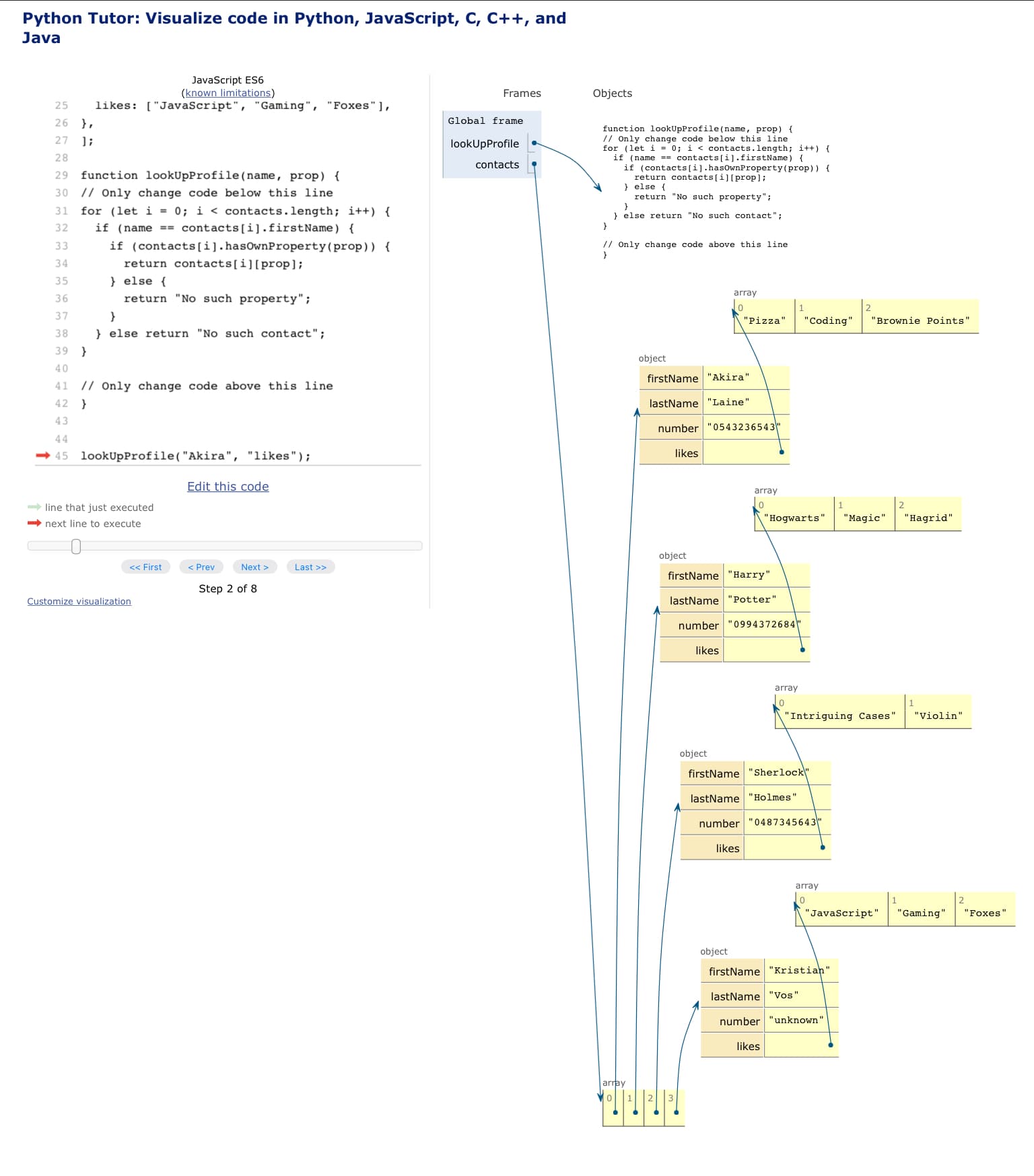
Because when I run it though the Javascript code visualiser this is what it looks like.
The arrow goes to lastName.

That arrow isn’t pointing at one part of the object - its pointing at the whole object. Click the next button a few more times.

Steps 5, 6, and 7 are important.

I’ve looked at steps 5, 6 and 7, I don’t know what I’m supposed to be seeing.
The arrows points at the code in turn, but I know which parts of the code execute at what point. So I don’t know what this tool is telling me.

Which is why I like walking though that line by line.

When i === 0, which contact are we looking at?

The name is Akira. If the name doesn’t match, the code is supposed to say ‘no such contact’

Right, and "Akira" and "Harry" don’t match, so No such contact is returned because the else clause body is triggered.

So it is true that nowhere in the entire array is a contact with the name "Harry", right? It is very not true

Wait. Am I accidentally checking for the name in the function call to match every one of the names in the array?

Because there is a contact called Harry,

Roughly speaking, yes. The loop stops immediately if a return statement is encountered.

So, how do I do the below without stopping the loop. While also nesting my if statements?

If both are true, then return the “value” of that property.

And how do I not keep accessing just ‘Akira’? I’m really stuck because I thought the way I was doing it would access all firstNames’s, not just the first one.
My old code at least had that part working right.

You will access all of the first names if you don’t return early.

The loop checks all contacts. Can you say inside of the loop that every single contact does not have a matching first name?