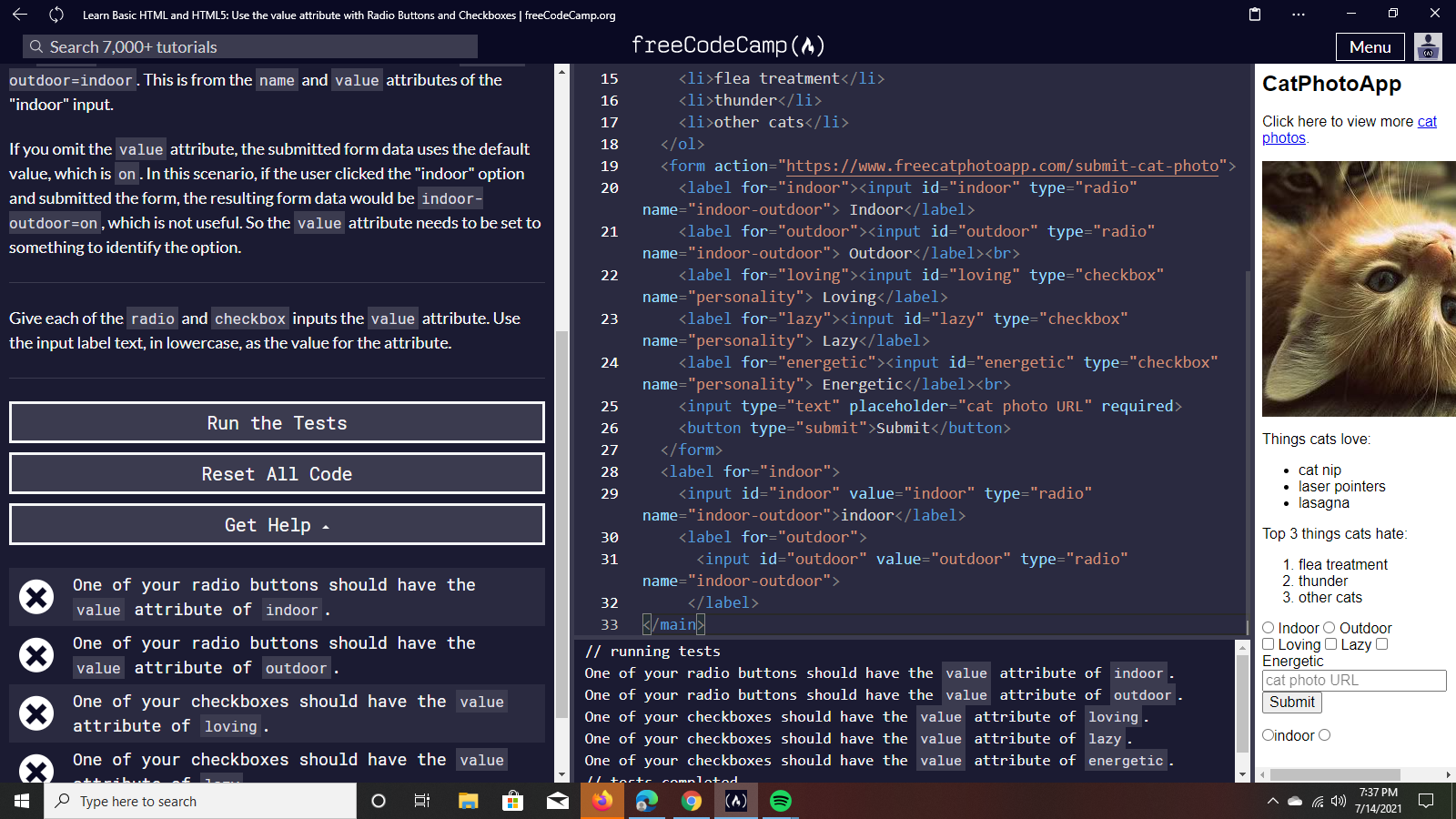
please how do i sort out the las one
**Your code so far**
<h2>CatPhotoApp</h2>
<main>
<p>Click here to view more <a href="#">cat photos</a>.</p>

<a href="#"><img src="https://www.bit.ly/fcc-relaxing-cat" alt="A cute orange cat lying on its back."></a>

<p>Things cats love:</p>
<ul>
  <li>cat nip</li>
  <li>laser pointers</li>
  <li>lasagna</li>
</ul>
<p>Top 3 things cats hate:</p>
<ol>
  <li>flea treatment</li>
  <li>thunder</li>
  <li>other cats</li>
</ol>
<form action="https://www.freecatphotoapp.com/submit-cat-photo">
  <input type="text" placeholder="cat photo URL" required>
  <button type="submit">Submit</button>
</form>
<label><input type="radio" name="indoor-outdoor">indoor</label>
<label><input type="radio" name="indoor-outdoor">outdoor</label>
<input id="indoor" type="radio" name="indoor"-outdoor">
<label for="indoor">indoor</label>
<label for="indoor">
  <input id="indoor" type="radio" name="indoor"-outdoor">indoor</label>
</main>
**Your browser information:**
User Agent is: Mozilla/5.0 (Windows NT 10.0; Win64; x64) AppleWebKit/537.36 (KHTML, like Gecko) Chrome/91.0.4472.124 Safari/537.36 Edg/91.0.864.67
Challenge: Create a Set of Radio Buttons
Link to the challenge:
Hi there,
<form> Radio buttons should be here</form>
you mean i should add the radio element within the form element i have at number 19 of my codes?
Everything from line 23-28 needs to be inside the form tags.
These lessons are meant to teach you how to build a form.
That is why all of the radio buttons, inputs and checkboxes need to be inside the form.
Hope that helps!
should i create a new form or should i nest it on my existing element? cause i only have one form element on my code?
You need to move all of this stuff.
and place it inside the form here
<form action="https://www.freecatphotoapp.com/submit-cat-photo">
  <input type="text" placeholder="cat photo URL" required>

RADIO BUTTONS GO HERE
  <button type="submit">Submit</button>
</form>
make sense?
ok,so should i delete them from where they were
Yes.
wow that was so amazing.thanks a million time.please how could i be steadly be in touch with you
1 Like
I am glad you were able to figure it out.
honestly i’m glad i came across you.mean while i just started learning how to code on freecodecamp, i guess you’e a pro?
columbuschidozie1:
i guess you’e a pro?
Nope.
I do some dev work part time but I am not a professional full time junior yet.
ya,i must confess it was since meeting you.i’m also an enthusiastic learner.just started learning a week ago
please i need your assistance on this one
screenshots are really hard to read and debug for code.
Please use the ask for help button which will create a new post with your code and challenge link.
Thanks!
Roma
July 15, 2021, 4:21am
16
@columbuschidozie1 , as noted please do not post screenshots. It’s hard to debug from a screenshot.
Two things;
because you have a different issue, please open a new topic
If you have a question about a specific challenge as it relates to your written code for that challenge, just click the Ask for Help button located on the challenge. It will create a new topic with all code you have written and include a link to the challenge also. You will still be able to ask any questions in the post before submitting it to the forum.
Thank you.
system
January 13, 2022, 4:21pm
17
This topic was automatically closed 182 days after the last reply. New replies are no longer allowed.