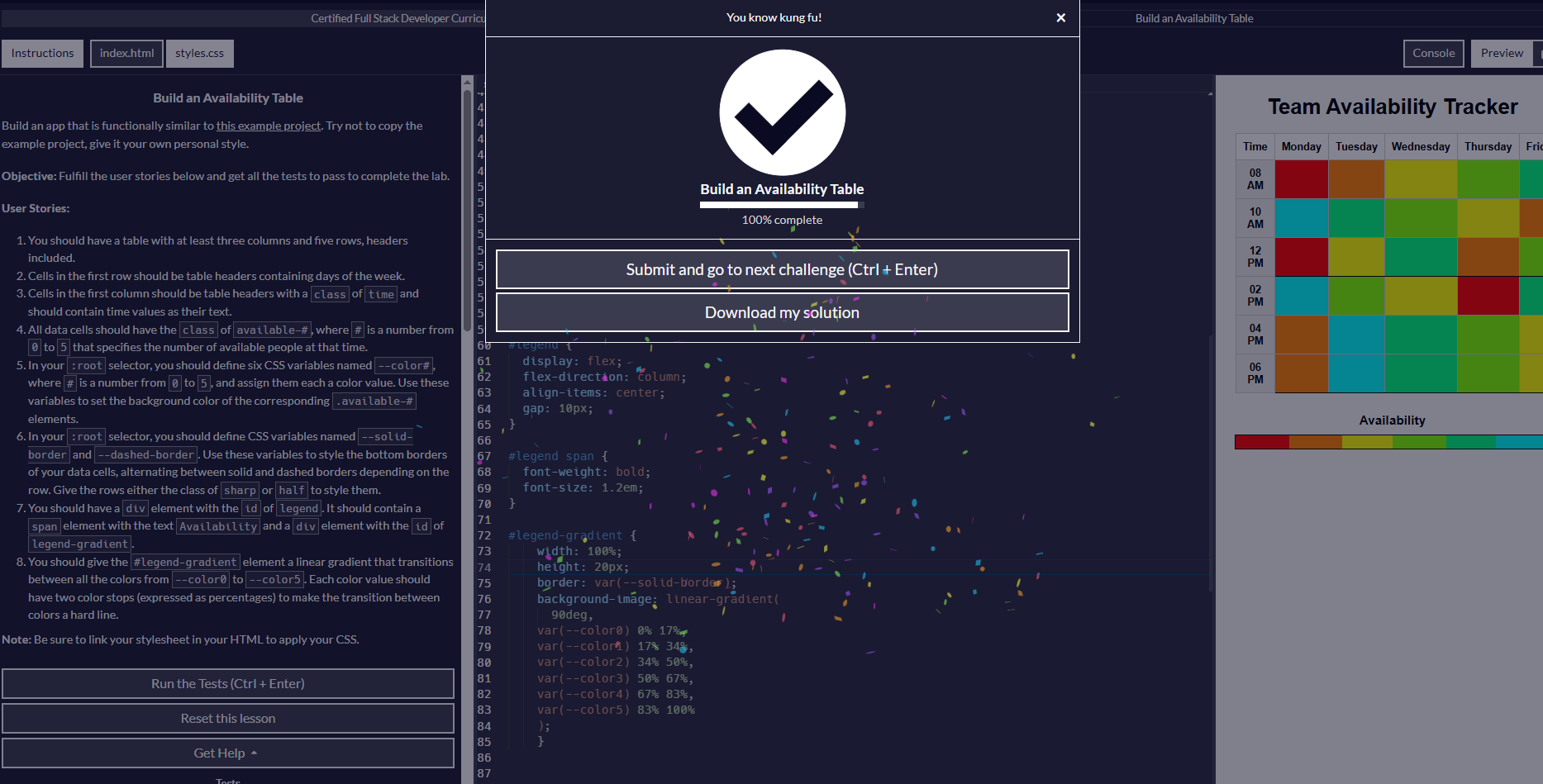
Tell us what’s happening:
i’ve been trying for the couple of hour to pass this test but its seems that there is bug since i even used Ai when i start to be frustration but still no result
Your code so far
<!DOCTYPE html>
<html lang="en">

<head>
    <meta charset="utf-8">
    <meta name="viewport" content="width=device-width, initial-scale=1.0">
    <title>Availability Table</title>
    <link href="styles.css" rel="stylesheet">
</head>

<body>
    <h1>Team Availability Tracker</h1>

  <table>
    <thead>
      <tr>
        <th>Time</th>
        <th>Monday</th>
        <th>Tuesday</th>
        <th>Wednesday</th>
        <th>Thursday</th>
        <th>Friday</th>
      </tr>
    </thead>

    <tbody>

      <tr class="half">
        <th class="time">08 AM</th>
        <td class="available-0"></td>
        <td class="available-1"></td>
        <td class="available-2"></td>
        <td class="available-3"></td>
        <td class="available-4"></td>
      </tr>

      <tr class="half">
        <th class="time">10 AM</th>
        <td class="available-5"></td>
        <td class="available-4"></td>
        <td class="available-3"></td>
        <td class="available-2"></td>
        <td class="available-1"></td>
      </tr>

      <tr class="sharp">
        <th class="time">12 PM</th>
        <td class="available-0"></td>
        <td class="available-2"></td>
        <td class="available-4"></td>
        <td class="available-1"></td>
        <td class="available-3"></td>
      </tr>

      <tr class="half">
        <th class="time"> 02 PM</th>
        <td class="available-5"></td>
        <td class="available-3"></td>
        <td class="available-2"></td>
        <td class="available-0"></td>
        <td class="available-4"></td>
      </tr>

      <tr class="half">
        <th class="time"> 04 PM</th>
        <td class="available-1"></td>
        <td class="available-5"></td>
        <td class="available-4"></td>
        <td class="available-3"></td>
        <td class="available-2"></td>
      </tr>

      <tr class="sharp">
        <th class="time"> 06 PM</th>
        <td class="available-1"></td>
        <td class="available-5"></td>
        <td class="available-4"></td>
        <td class="available-3"></td>
        <td class="available-2"></td>
      </tr>
    </tbody>
  </table>

  <div id="legend">
    <span>Availability</span>
    <div id="legend-gradient"></div>
  </div>
</body>

</html>
/* file: styles.css */

:root {
  /* Availability colors */
  --color0: #ff0000;
  --color1: #ff8000;
  --color2: #ffff00;
  --color3: #80ff00;
  --color4: #00ff80;
  --color5: #00ffff;

  /* Border styles */
  --solid-border: 2px solid black;
  --dashed-border: 2px dashed gray;
}

/* Basic page styling */
body {
  font-family: Arial, sans-serif;
  background-color: #f6f6f6;
  margin: 30px;
  text-align: center;
}

/* Table styling */
table {
  border-collapse: collapse;
  width: 80%;
  margin: 0 auto 30px;
  background-color: #fff;
}

th, td {
  border: 1px solid #ccc;
  padding: 10px;
  text-align: center;
}

/* Time column styling */
th.time {
  background-color: #eaeaea;
}

/* Color classes based on availability */
.available-0 { background-color: var(--color0); }
.available-1 { background-color: var(--color1); }
.available-2 { background-color: var(--color2); }
.available-3 { background-color: var(--color3); }
.available-4 { background-color: var(--color4); }
.available-5 { background-color: var(--color5); }

/* Row border styles */
.sharp td {
  border-bottom: var(--solid-border);
}

.half td {
  border-bottom: var(--dashed-border);
}

/* Legend section */
#legend {
  display: flex;
  flex-direction: column;
  align-items: center;
  gap: 10px;
}

#legend span {
  font-weight: bold;
  font-size: 1.2em;
}

/* Hard transitions using two color-stops per color */
#legend-gradient {
  width: 320px;
  height: 26px;
  border-radius: 6px;
  border: 2px solid #444;
  background-image: linear-gradient(
    to right,
    var(--color0) 0%,    var(--color0) 16.6%,
    var(--color1) 16.6%, var(--color1) 33.3%,
    var(--color2) 33.3%, var(--color2) 50%,
    var(--color3) 50%,   var(--color3) 66.6%,
    var(--color4) 66.6%, var(--color4) 83.3%,
    var(--color5) 83.3%, var(--color5) 100%
  );
}
Your browser information:
User Agent is: Mozilla/5.0 (Windows NT 10.0; Win64; x64) AppleWebKit/537.36 (KHTML, like Gecko) Chrome/141.0.0.0 Safari/537.36
Challenge Information:
Build an Availability Table - Build an Availability Table