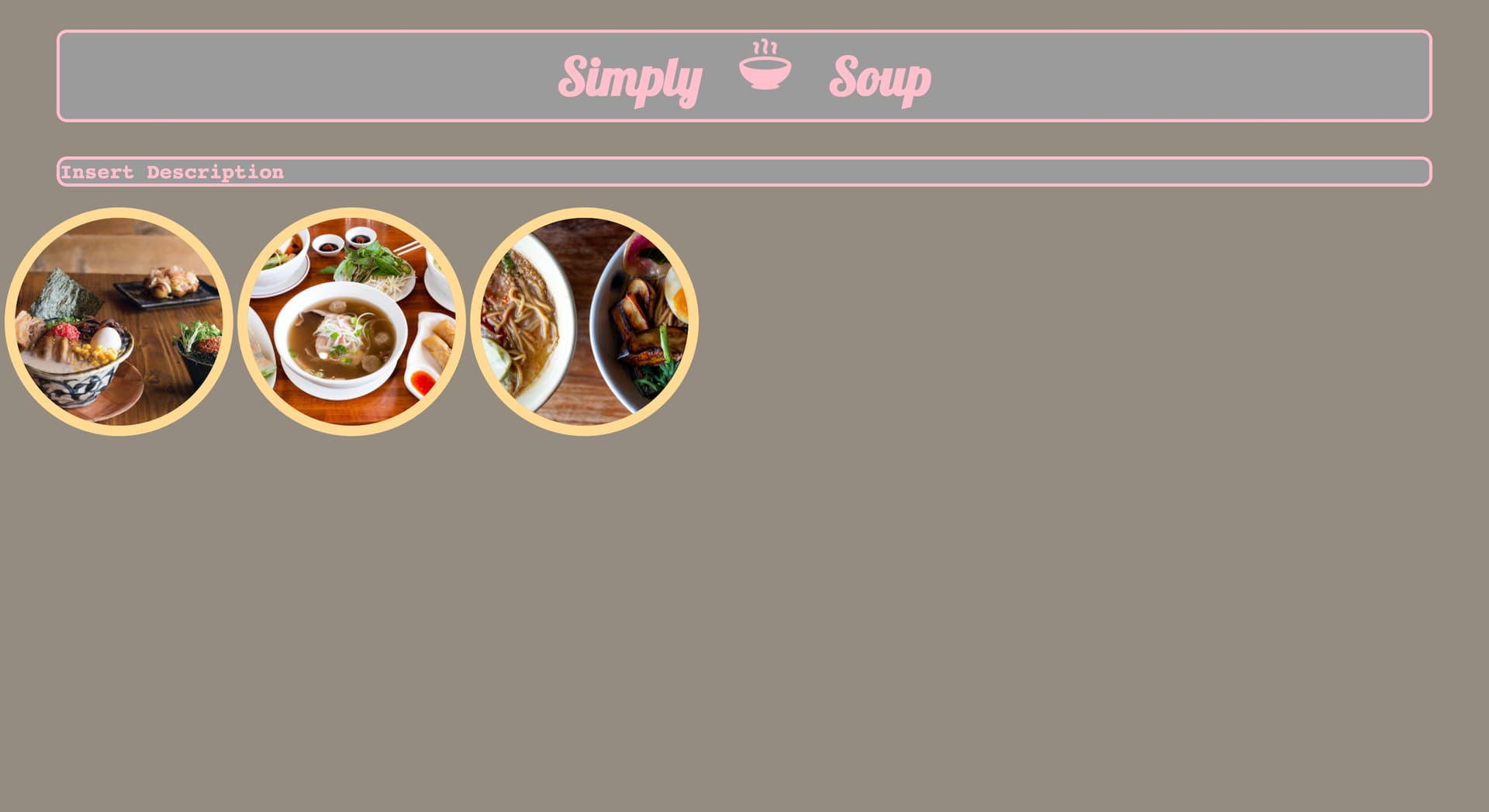
I am trying to figure out how to center my three soup photos in middle of page shown below so that they are still side by side. I’ve added a style called .restaraunt-margin and then added it to each img as a class in hopes that it would fix the problem without losing the spacing from the last image (1.) but they all spread so far apart instead. Am I doing this correctly?
(coding below results in photo above. refer to: .restaurant-margin style that is set as a class in all the three img’s below body. I would like them still close to one another but centered in page side by side.)
thanks ok, I just created a code pen after you mentioned it. I tried googling on how to export visual studio code to code pen but I am not finding anything. Is there a way to go about doing that?
In the HTML editor codepen expects only the code between the body tags so just cut and paste.
And you can cut/paste the CSS code too.
Btw, it doesn’t have to be codepen. Where are you hosting your live projects when you submit them. You could post the link to that. My point was it’s easier to see your live code than a screenshot.
Since I can’t really see you’re code I’ll ask, are you using flexbox to get your images positioned? That’s what I would do.
I created a github and just submitted through that, but cant find a share button. Would sharing through github work? As for flexbox, no I do not. first time hearing about it.
@Andrew-Castro, we try and guide campers to solutions rather than giving them. This was mentioned to you previously.
instead of posting your full working solution, it is best to stay focused on answering the original poster’s question(s) and help guide them with hints and suggestions to solve their own issues.
Ah I see. I’m still on the Basic CSS course 19/44. I’ve been doing a project at the same time while doing the cat-form for better practice. I’ll wait until flexbox section before continuing with this issue as I dont want to skip over anything. Appreciate the assistance.