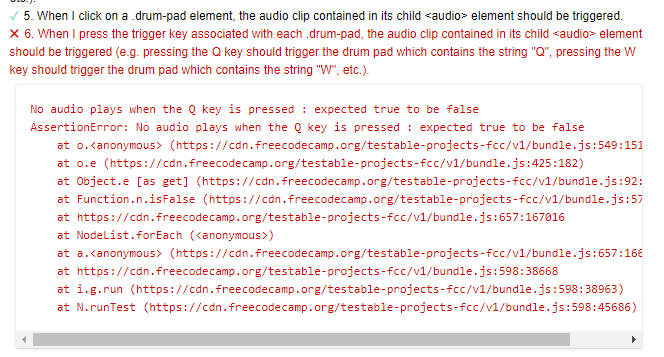
I have created a pen in codepen for drum machine project. All the test are pass but there is one thing which is not passing;
I have tried clicking q, w, e, a, s, d, z, x, c keys and the sound came out. The the test is not passing.
Here my project link: https://codepen.io/AndrewAung11/pen/eYvNWBm
Thank you.
I don’t have time to test it out, but I notice that your pads don’t fire if I use an upper case key from the keyboard. Might that be the problem? The test is explicitly complaining about “Q”.
I played around with your pen a bit, and in terms of nesting I can’t see anything wrong. I think the only issue may only be that your drum machine does not accept uppercase inputs like @kevinSmith suggested. I did go back to the sample project and they accepts uppercase inputs.
@kevinSmith and @MatchaCrisp are spot on. Add a
console.log(e.key);
at the very beginning of the keydown handler. Press the Q key yourself and see what you get. Then run the tests and see what you get. You’ll need to tweak the handler a little to compensate for the difference.
Thank you @kevinSmith for telling me about the uppercase and @MatchaCrisp for pointing out.
It actually need an uppercase to work.