This question could potentially have be placed in javaScript sub forum as interaction between the two languages and that course is relevant for this question. However as it specifically relates only to HTML code I decided this is the right sub forum.
I aware that HTML generally uses kebab-case and JavaScript camelCase. In the later I know there are many exceptions and at least what a wide range of them are. However in this program ( Learn Basic JavaScript by Building a Role Playing Game: Step 173 | freeCodeCamp.org) camelCase is used for attribute values.
For clarity this the first program I found when looking back that used camelCase it might not be the only one. I will stay I am lot further on the with course than this, being part way through the platformer program. It has been in back of my mind, at least one program used camelCase and I have just got around to checking, for a while I thought am I imagining.
Is there a convention or even rule when to use camelCase in attribute values. If this is somehow and uncorrected error, I likely need to raise an issue with in the other place, let me know.
refer to this for doubts on how to write the attribute names, or css properties too, you are spot on
JavaScript has its own syntax
Could expand on your comment a little.
Sorry missed a please.
HTML attributes are written in HTML. You should use HTML conventions for them.
Could have replied to either of you, so there is a error or at least break of convention in program linked. Look likes if it is in the new syllabus I should raise an issue in the other place. However from a quick check it appears to not be, should I still do so.
can you show some examples of what you mean?
<!DOCTYPE html>
<html lang="en">
  <head>
    <meta charset="utf-8">
    <link rel="stylesheet" href="./styles.css">
    <title>RPG - Dragon Repeller</title>
  </head>
  <body>
    <div id="game">
      <div id="stats">
        <span class="stat">XP: <strong><span id="xpText">0</span></strong></span>
        <span class="stat">Health: <strong><span id="healthText">100</span></strong></span>
        <span class="stat">Gold: <strong><span id="goldText">50</span></strong></span>
      </div>
      <div id="controls">
        <button id="button1">Go to store</button>
        <button id="button2">Go to cave</button>
        <button id="button3">Fight dragon</button>
      </div>
      <div id="monsterStats">
        <span class="stat">Monster Name: <strong><span id="monsterName"></span></strong></span>
        <span class="stat">Health: <strong><span id="monsterHealth"></span></strong></span>
      </div>
      <div id="text">
        Welcome to Dragon Repeller. You must defeat the dragon that is preventing people from leaving the town. You are in the town square. Where do you want to go? Use the buttons above.
      </div>
    </div>
    <script src="./script.js"></script>
  </body>
</html>
Taken from last step
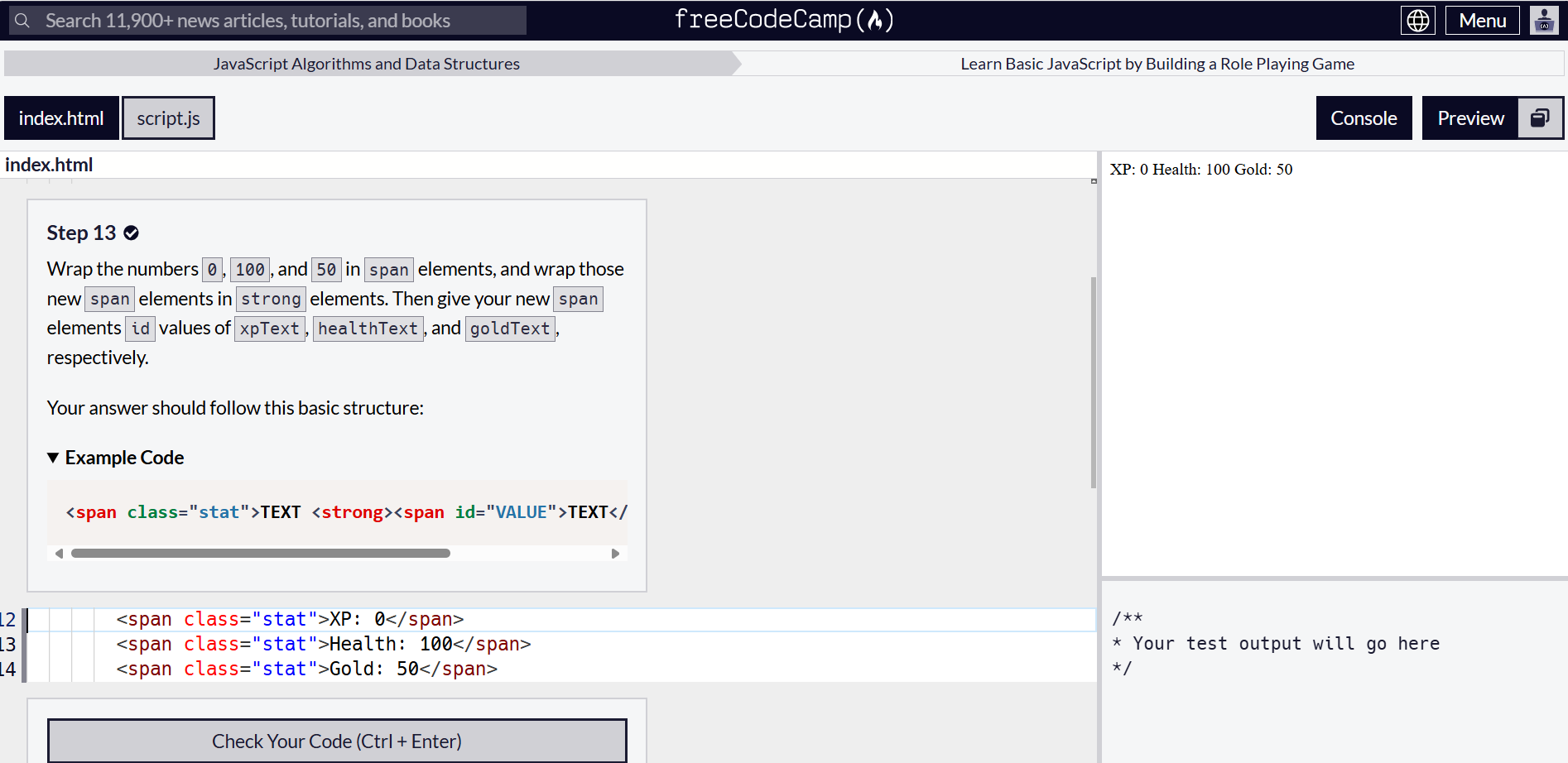
Example these were the suggested attribute values taken from step 13
the id value can be what you want, in the limits of what is allowed
Thankyou for that before ticking solution. I will give a chance to see if @JeremyLT has anything to say.
This topic was automatically closed 182 days after the last reply. New replies are no longer allowed.