<meta charset="UTF-8" />

<title>Checkout Page</title>
Checkout
<section>

    <h2>Your Cart</h2>

    <img src="https://cdn.freecodecamp.org/curriculum/labs/cube.jpg" alt="rubiks cube">

</section>

<section>

    <h2>Payment Information</h2>

    <form>

     <p> <label for="card-name">Name on Card<span aria-hidden="true">\*</span></label>
        <p><label for="card-number">Card Number<span aria-hidden="true">\*</span></label>

        <input

   aria-describedby="card-number-help"

        required

        id="card-number"

        name="card-number"

        type="text"><p id="card-number-help">Please fill out your 16 digit card-number</p>


    </form>

</section>
Welcome to the forum @karlfa.rt25 !
Please write down your issue with your task!
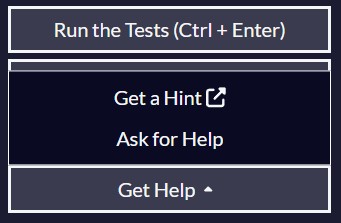
Also please use next time the “Get Help” button, than the “Ask for Help” , so you can share your code more easily.
<meta charset="UTF-8" />

<title>Checkout Page</title>
Checkout
<section>

    <h2>Your Cart</h2>

    <img src="https://cdn.freecodecamp.org/curriculum/labs/cube.jpg" alt="rubiks cube">

</section>

<section>

    <h2>Payment Information</h2>

    <form>

     <p> <label for="card-name">Name on Card<span aria-hidden="true">\*</span></label>
        <p><label for="card-number">Card Number<span aria-hidden="true">\*</span></label>

        <input

   aria-describedby="card-number-help"

        required

        id="card-number"

        name="card-number"

        type="text"><p id="card-number-help">Please fill out your 16 digit card-number</p>


    </form>

</section>
Sry i re sent the my code step 16 is
16. You should have a p element with an id of card-number-help immediately after the card number input.
Link for the Lab
I see various test fails with your code.
You may find some hints in these forum topics. If you can´t, than I think you should open a new topic with the “Get Help” button, than the “Ask for Help” button.
It will create a proper post here on the forum, so we can see your code more clearly and we can help you out much easier.
In the “Tell us what’s happening:” section, please write down why you asking for help.
after that what should i do
How your code looks like currently and what issue are you facing?
my issue is step 16 which is :16. You should have a p element with an id of card-number-help immediately after the card number input.
And my code is :
<meta charset="UTF-8" />

<title>Checkout Page</title>
Checkout
<section>

    <h2>Your Cart</h2>

    <img src="https://cdn.freecodecamp.org/curriculum/labs/cube.jpg" alt="rubiks cube">

</section>

<section>

    <h2>Payment Information</h2>

    <form>

     <p> <label for="card-name">Name on Card<span aria-hidden="true">\*</span></label>
        <p><label for="card-number">Card Number<span aria-hidden="true">\*</span></label>

        <input

   aria-describedby="card-number-help"

        required

        id="card-number"

        name="card-number"

        type="text"><p id="card-number-help"></p>
and also how do i make my code not be spread over multipule things
Probably because the some crucial elemets are missing and when you copy your code here on the forum, the auto-formatting makes it look like that.
That´s why “Ask for Help” button for, to do that formatting correctly.
Try to do that first:
<!doctype html>
<html lang="en">

    <!-- Insert your current code here -->

</html>
Than copy your updated code here again.
ok thanks for the instructions
but im still stuck on step 16
It makes your work easier if you organise (or format) your code to be more readable.
For example I formatted your code for me to reading it better:
That way you can see more clearly, what comes immediately after the card number input instead of what the task asked for.
thank you for the explanation but i did put the p element immediately after the number output do you mind showing me
Your <p> element is nested inside the <label> element and that <label> comes immediately after the card number input.
Tbh i still dont understand
do you mind showing me it in a code
An “element” refers to both the opening and closing tags.
before
<element>
    inside
</element>
after
To put something after an element it needs to be after the closing tag.
yes thank you but i understand what an element is
Ok, maybe I misunderstood.
Can you explain what it is that you don’t understand?