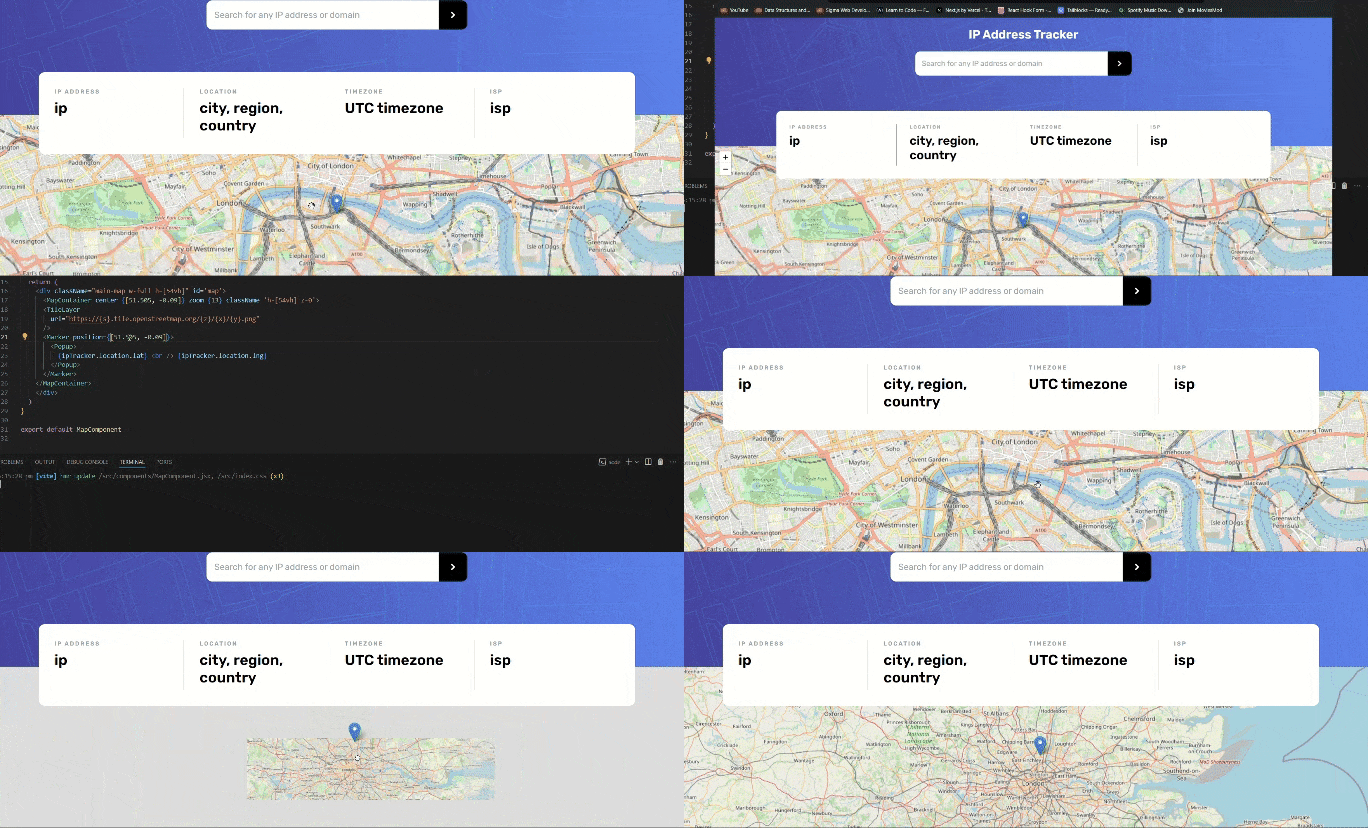
Currently, I’m working on a project where I record latitude and longitude and show coordinates on the map using LeafletJS in React. When the lat. and long. point change, it should show the changed coordinate map and a marker at that coordinate. The problem I faced during this project is that as I change the coordinates, the map is still showing the old coordinate location. The marker is being pointed to the updated coordinate. I don’t know what’s wrong.
Could you guys please look and tell me what’s wrong?
Sure! I’m working on a project that collects user IP Addresses and shows details like location, timezone, isp. The above code adds a map leafletjs API.
In the above code:
Here, I imported the required component from leaflet.
In this section, I tried to re-render my component by declaring “map useState” which will render when "IP ADDRESS " changes
This is a container I created for styling using Tailwindcss.
This is starting section of creating map from LEAFLETJS.
"cente
r={}" will take coordinate as value which will display that point in map as center in the page.
“zoom={}” will take number of zoom level in the map UI.
The “Marker” COMPONENT will add a marker to the co-ordinate
And the pop-up will add text when the marker is clicked during interaction for user details.
Ok I might have found problem: The useEffect hook currently runs only once when it is mounted, but you want it to run whenever the coordinates are changing. You will have to test it on your side though.
Add “map” and “ipTracker” to the hooks’ dependency array and see if it works.
I looked into the Leaflet docs and it seems Leaflet instances and their props are immune to useState changes. You will have to use hooks like useMap provided by Leaflet.
Here a developer that had the exact same problem and how she solved it: