Tell us what’s happening:
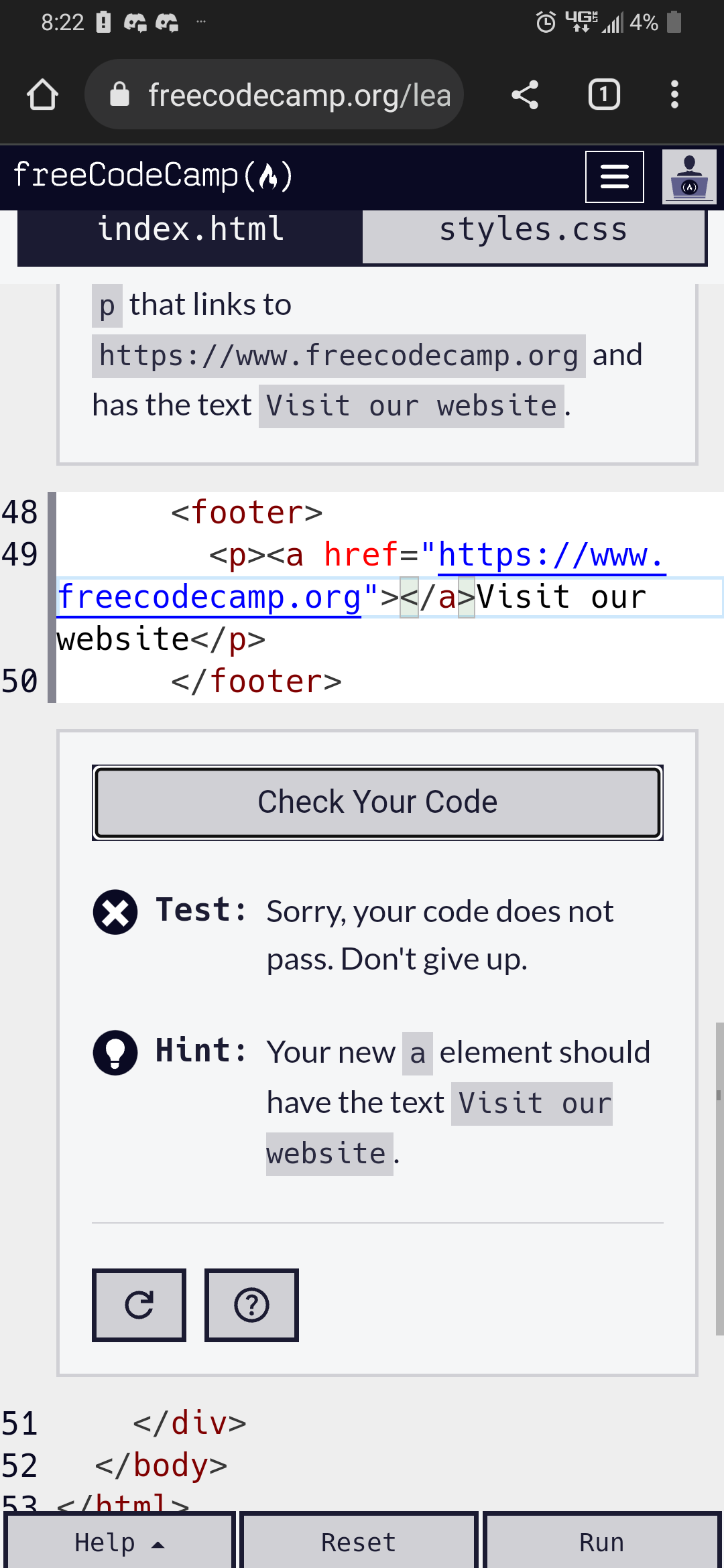
Can’t figure out what I’m missing to successfully anchor the link to the text “View our website”. The preview even shows the text being a link and when looking up others questions it appears my code would be right. So why isn’t it?
Your code so far
<!-- file: index.html -->
<!DOCTYPE html>
<html lang="en">
  <head>
    <meta charset="utf-8" />
    <meta name="viewport" content="width=device-width, initial-scale=1.0" />
    <title>Cafe Menu</title>
    <link href="styles.css" rel="stylesheet"/>
  </head>
  <body>
    <div class="menu">
      <main>
        <h1>CAMPER CAFE</h1>
        <p class="established">Est. 2020</p>
        <section>
          <h2>Coffee</h2>
          <article class="item">
            <p class="flavor">French Vanilla</p><p class="price">3.00</p>
          </article>
          <article class="item">
            <p class="flavor">Caramel Macchiato</p><p class="price">3.75</p>
          </article>
          <article class="item">
            <p class="flavor">Pumpkin Spice</p><p class="price">3.50</p>
          </article>
          <article class="item">
            <p class="flavor">Hazelnut</p><p class="price">4.00</p>
          </article>
          <article class="item">
            <p class="flavor">Mocha</p><p class="price">4.50</p>
          </article>
        </section>
        <section>
          <h2>Desserts</h2>
          <article class="item">
            <p class="dessert">Donut</p><p class="price">1.50</p>
          </article>
          <article class="item">
            <p class="dessert">Cherry Pie</p><p class="price">2.75</p>
          </article>
          <article class="item">
            <p class="dessert">Cheesecake</p><p class="price">3.00</p>
          </article>
          <article class="item">
            <p class="dessert">Cinnamon Roll</p><p class="price">2.50</p>
          </article>
        </section>
      </main>
      <footer>
        <p><a href="https:www.freecodecamp.org">Visit our website</a> </p>
      </footer>
    </div>
  </body>
</html>
/* file: styles.css */
body {
  background-image: url(https://cdn.freecodecamp.org/curriculum/css-cafe/beans.jpg);
  font-family: sans-serif;
}

h1 {
  font-size: 40px;
}

h2 {
  font-size: 30px;
}

.established {
  font-style: italic;
}

h1, h2, p {
  text-align: center;
}

.menu {
  width: 80%;
  background-color: burlywood;
  margin-left: auto;
  margin-right: auto;
  padding: 20px;
  max-width: 500px;
}

h1, h2 {
  font-family: Impact, serif;
}

.item p {
  display: inline-block;
}

.flavor, .dessert {
  text-align: left;
  width: 75%;
}

.price {
  text-align: right;
  width: 25%
}
Your browser information:
User Agent is: Mozilla/5.0 (X11; CrOS x86_64 14324.80.0) AppleWebKit/537.36 (KHTML, like Gecko) Chrome/97.0.4692.102 Safari/537.36
Challenge: Learn Basic CSS by Building a Cafe Menu - Step 64
Link to the challenge: