I’m still getting the same ERROR: Your HTMLString variable should start with a new line
can anyone help.
function addEntry() {
  const targetInputContainer = document.querySelector(`#${entryDropdown.value} .input-container`);
  const entryNumber = targetInputContainer.querySelectorAll('input[type="text"]').length;
  const HTMLString = `/n<label>Entry ${entryNumber} Name</label>`;
}
Your browser information:
User Agent is: Mozilla/5.0 (Windows NT 10.0; Win64; x64) AppleWebKit/537.36 (KHTML, like Gecko) Chrome/119.0.0.0 Safari/537.36 OPR/105.0.0.0 (Edition std-2)
Challenge Information:
Learn Form Validation by Building a Calorie Counter - Step 44
You don’t need the newline character \n at all here. Just put all the code that you wrote after the opening backtick ` into the new line.
thank you,
they should say it like this
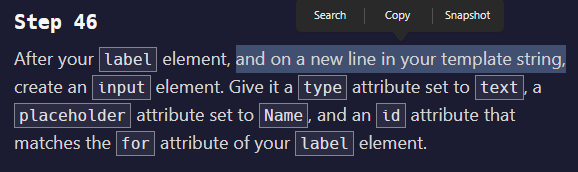
The requirement is to start the HTML string content on a new line in the code for readability, but not actually include a newline character (\n ), so after the opening back tick just click enter to start a new line.
you don’t need /n for your code here is how to do it
function addEntry() {
const targetInputContainer = document.querySelector(#${entryDropdown.value} .input-container);
const entryNumber = targetInputContainer.querySelectorAll(‘input[type=“text”]’).length;
const HTMLString = <label>Entry ${entryNumber} Name</label>;
}