Learn Introductory JavaScript by Building a Pyramid Generator - Step 24

Tell us what’s happening:

i dont understand what I’m to do here!!
I’ve tried about 3 times yet i remain confused.

Your code so far

let character = 'Hello';
let count = 8;
let rows = ["Naomi", "Quincy", "CamperChan"];

// User Editable Region

let cities = "London", "New York", "Mumbai";
console.log(cities);


// User Editable Region

console.log(rows);

Your browser information:

User Agent is: Mozilla/5.0 (Windows NT 10.0; Win64; x64) AppleWebKit/537.36 (KHTML, like Gecko) Chrome/138.0.0.0 Safari/537.36

Challenge Information:

Learn Introductory JavaScript by Building a Pyramid Generator - Step 24

you need to initialize the cities variable as an array.
You haven’t done that.

An example of how to do that is here:

After that you have to follow the rest of the instructions which were:

After logging, change the last element of cities to the string "Mexico City" , then log the cities variable again.
i still don’t understand.

can you say what is it that you don’t understand?

You can read a bit more about arrays here

https://www.w3schools.com/js/js_arrays.asp

https://www.geeksforgeeks.org/javascript/javascript-arrays/

1 Like

this is my updated code:

let character = 'Hello';
let count = 8;
let rows = ["Naomi", "Quincy", "CamperChan"];
let cities = ["London", "New York", "Mumbai"];
let cities[2] = "Mexico City"
console.log(cities[2]);
console.log(rows);

and do you still need help?

Edit: look at the console. What error is it saying? Do you understand it?

1 Like

Yes, i do.
the console error is saying You should use console.log() to log the entire cities array to the console.

Hi @Debug_Diva

The following appears in the console.

SyntaxError: unknown: Identifier 'cities' has already been declared. (5:4)

  3 | let rows = ["Naomi", "Quincy", "CamperChan"];
  4 | let cities = ["London", "New York", "Mumbai"];
> 5 | let cities[2] = "Mexico City"
    |     ^
  6 | console.log(cities[2]);
  7 | console.log(rows);

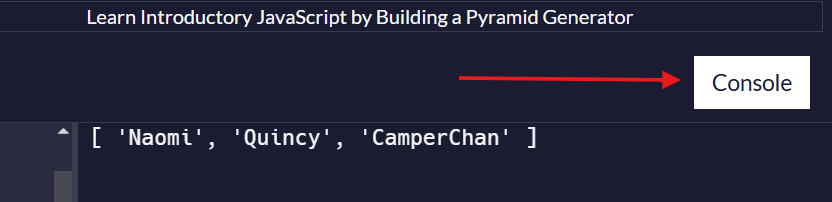
You may need to click the Console button toggle it.

Happy coding

1 Like

how do i click the console button toggle it

This is the button that toggles to display or hide the console. As you can see, it’s displaying the console in this view.

This is my updated code and it still says wrong even after pressing d console button y’all asked me to press.

let cities = ["London", "New York", "Mumbai"];
cities[cities.length - 1] = "Mexico City";
console.log(cities);

now you should see a message telling you what is wrong?

What do you think of that message? (do you have a question about what it says?)

Do you think you should re-read the instructions to see if you can address the issue?

The hint says: You should have two console.log(cities) statements in your code.

yes that is true.
So what do you think? Did you write 2 console.log statements as required by the instructions?
(perhaps now would be a good time to re-read those instructions?)

no, but its not like when i did that, anything changed. See:

let cities = ["London", "New York", "Mumbai"];
console.log(cities);
cities[cities.length - 1] = "Mexico City";
console.log(cities[2]);

good you added another log, so that’s a step forward.
But when things don’t work, we need to go back and re-read the instructions again more carefully.

Try to read this one again:

After logging, change the last element of cities to the string "Mexico City" , then log the cities variable again.

1 Like

isnt that what this is for?

the instruction has 2 parts.

You’ve done this part:
change the last element of cities to the string "Mexico City"

what about the rest?

1 Like

Thank y’all for ur help :smiling_face_with_three_hearts:, I’ve finally been able to cross that step.

2 Likes