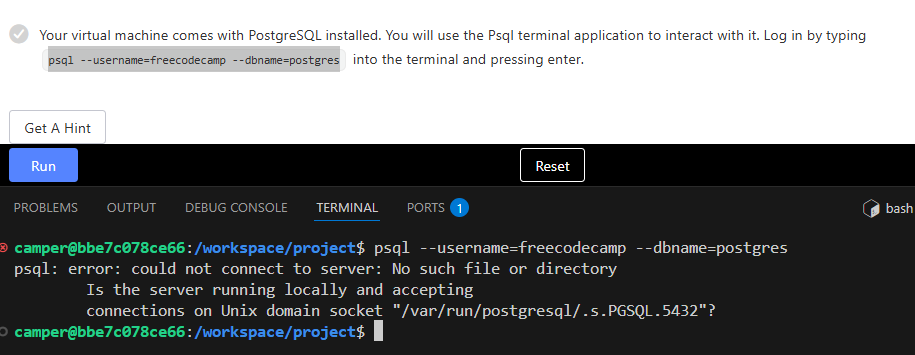
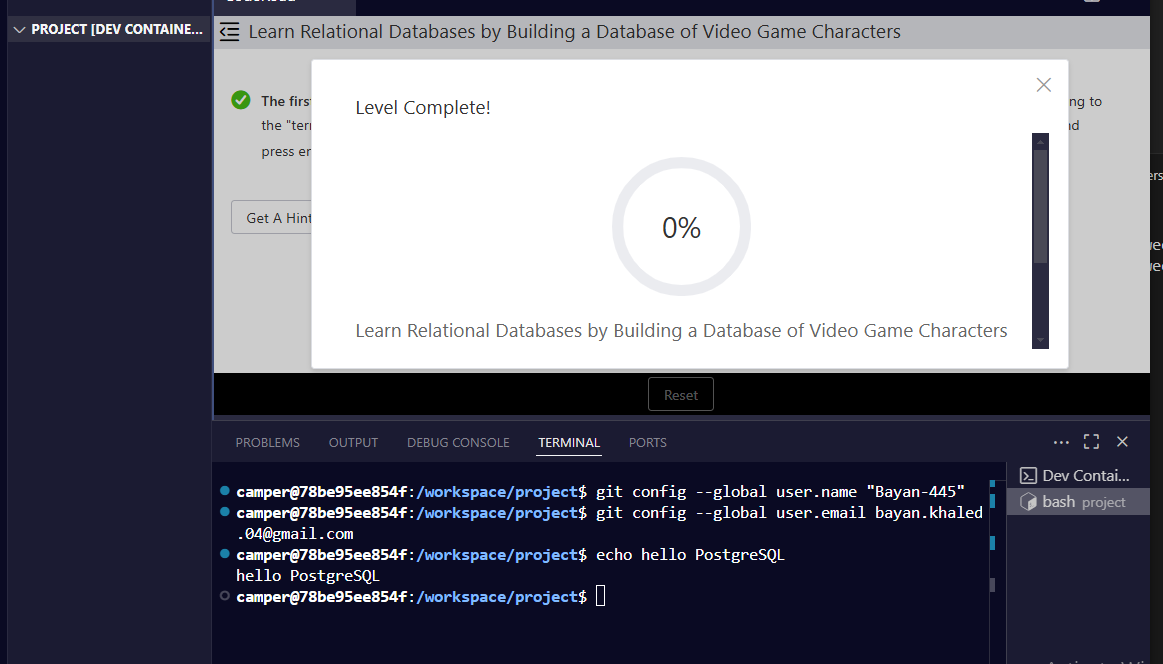
the first step after solving code road problem step was dirctly the course it didnt ask for url , first command was (( interact with it. Log in by typing psql --username=freecodecamp --dbname=postgres into the terminal and pressing enter.)) i tried many times and tried to open the service by my self i asked gpt i did many thing in a try to fix it but every time it says (TEST FAILED) even if i am in the psql data base it still give me the same answer
any logical reason for this please
*note: while trying to open psql my self i made a new freecodecamp user and password in termonal in order to test pass
Your code so far
#camper@21497427e6f0:/workspace/project$ psql --username=freecodecamp --dbname=postgres
Password for user freecodecamp:
psql: error: FATAL: password authentication failed for user “freecodecamp”
Your browser information:
User Agent is: Mozilla/5.0 (Windows NT 10.0; Win64; x64) AppleWebKit/537.36 (KHTML, like Gecko) Chrome/139.0.0.0 Safari/537.36
Challenge Information:
Learn Relational Databases by Building a Database of Video Game Characters - Build a Database of Video Game Characters
can I get some background from you on what you were doing prior to starting the course?
For eg. Is this the first time you’re setting up Docker and the rdb-alpha repo?
it’s the first time to settup docker with freecodecamp but i’ve searched here for articles that help me to learn on my local pc after gitpod made a subscribtion i did every thing v but when i put cosde road on the platte it doesn’t appear till i figured that i have to change the version (it was today or yesterday) i did all steps again and it just was there
the course started but the command as i mentioned earlier didn’t work
i waited to much , i was dissappouinted
(thx for trying to help)
edit: if you mean git clone for repo i made it many times it is not the first try
can you try the Dev Containers: Rebuild and Reopen in Container command again?
When it runs, click on the Show Log link that will popup in a dialog on the bottom right of the screen.
Please see what is the last few lines in the log after it completes and paste them here.
that doesn’t look like a normal log to me.
But I’m not sure.
If you don’t mind, I have some steps that you can use to retry this setup from scratch here
But, it requires that you are running on wsl2 (which is a linux virtual machine on windows)
If you are running on windows powershell directly, the steps will need to be adjusted to work for you (for example rm is a command that works on linux but may not work on windows powershell)