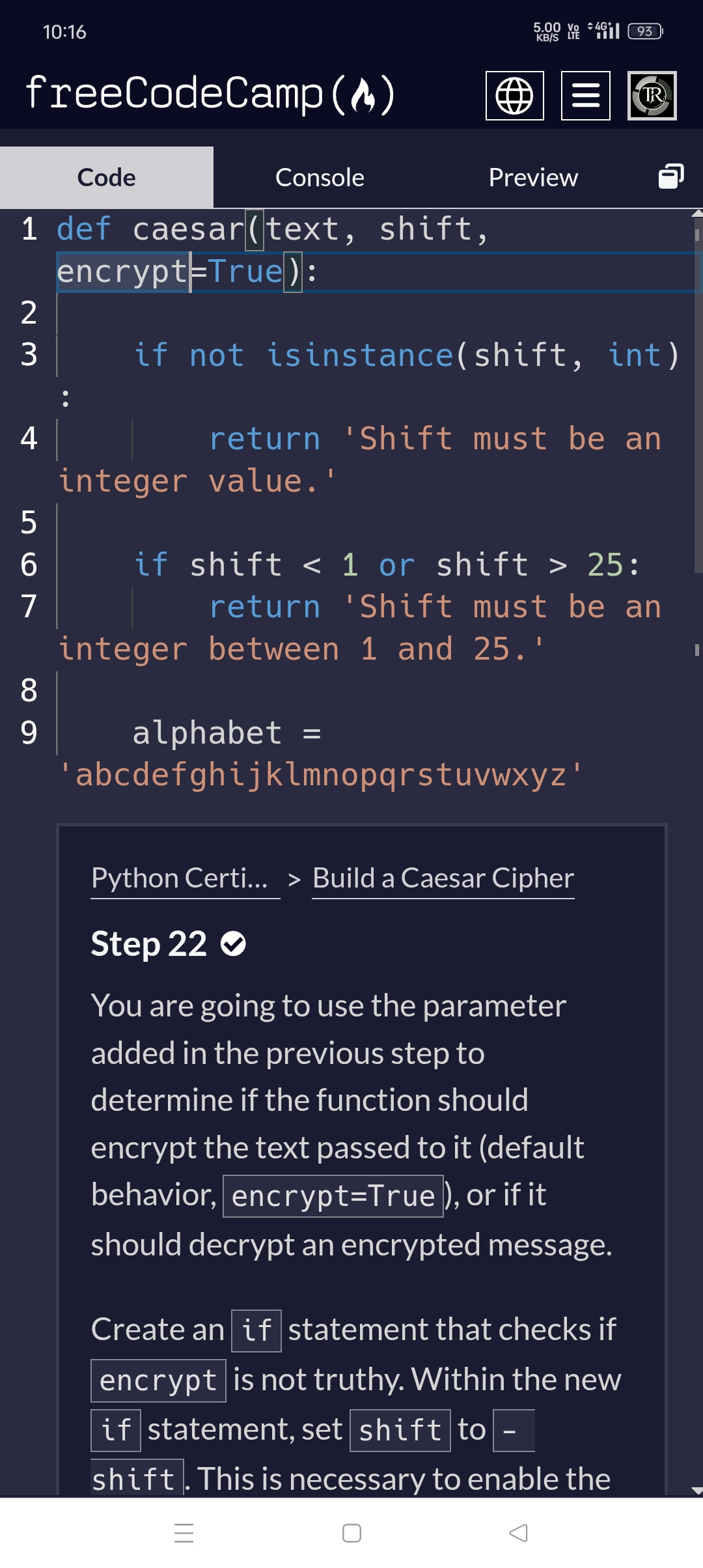
Tell us what’s happening:
I have tried every way possible to fix this error, but for some reason I cannot get past this step as my code raises an error before it can pass the test. I get the syntax error, ‘encrypt’ is not defined. I believe my code accomplishes the task, so please help me get past this step. Thank you.
Your code so far
# User Editable Region

if not encrypt:
    shift = - shift

# User Editable Region
Your browser information:
User Agent is: Mozilla/5.0 (Windows NT 10.0; Win64; x64) AppleWebKit/537.36 (KHTML, like Gecko) Chrome/142.0.0.0 Safari/537.36
Challenge Information:
Traceback (most recent call last):
File “main.py”, line 1, in
NameError: name ‘encrypt’ is not defined
Build a Caesar Cipher - Step 22
In the 21th step you were told to create a third parameter ‘encrypt’ and set it to True.
Check the first line and ensure it is set and the spelling is perfect. If not , Change it.
This is my 21st step code, as you can see my spelling is accurate, yet I still get an error. Thank you for replying but I still get the same issue.
What I meant was to scroll to the upper portion after opening step 22, then you should find the upper body of the code, check it there.
def caesar(text, shift, encrypt=True):
    if not isinstance(shift, int):

        return 'Shift must be an integer value.'

    if shift < 1 or shift > 25:

        return 'Shift must be an integer between 1 and 25.'

    alphabet = 'abcdefghijklmnopqrstuvwxyz'

    shifted_alphabet = alphabet\[shift:\] + alphabet\[:shift\]

    translation_table = str.maketrans(alphabet + alphabet.upper(), shifted_alphabet + shifted_alphabet.upper())

    return text.translate(translation_table)
encrypted_text = caesar(‘freeCodeCamp’, 3)
print(encrypted_text)
————————————————
The above is all my code until Step 21, which also passed all the tests done by the freeCodeCamp tester. Is there something I did wrong? Because after this the following step is where they say encrypt is not defined, when I added it clearly as a parameter.
I also don’t see any other code above or below when I scroll, only the two lines I am supposed to update.
This was the problem, I had at some point pressed Ctrl + A , Delete to reenter my code and that seems to have wiped the code above and below to make sure the code runs. The solution was simply to reset the step, thank you for your help.