function destroyer(arr) {

      var firstArg = arguments[1];
      var secondArg = arguments [2];
      var thirdArg = arguments[3];

      function removeArgs(value) {
        return value != firstArg && value != secondArg && value != thirdArg;
      }

      arr = arr.filter(removeArgs);

      return arr;
    }

    destroyer([3, 5, 1, 2, 2], 2, 3, 5);
This is the solution I came up with, which works. But it seems to me that there would be a way to automate the creation of these variables, maybe with a for loop, so that the program could take on any number of arguments as opposed to just however many I program into it.
@orionkwilson I just completed this challenge with .filter() which takes an optional parameter and a for loop that iterates through the arguments passed into destroyer() in Seek and Destroy.
It took quite a bit of researching the MDN .filter() page and Google searches which mostly returned Stackoverflowquestions but it worked out in the end.
The example code in MDN, var new_array = arr.filter(callback[, thisArg]) was a little confusing to me. I found out that anything between square brackets ([]) is optional but it didn’t show what code with the optional parameter should look like . It would have been nice it such an example had been shown.
My first idea was to call the function inside the for loop but I got a message saying I shouldn’t do that.
//didn't work
arr.filter(function(elements) {
  return element != argument[i];
});
Next, I tried declaring the function outside of the for loop but I couldn’t find a way to reference the arguments passed into destroyer(). Then I bumped into this thread on Stackoverflow in which the OP is actually looking for a solution to Seek and Destroy.
This lead me to using this in the function to compare the element to a variable. This worked. The OP says second example didn’t work. Not sure why, it could be because he used strict comparison (!==) instead of loose comparison (!=).
You can have it sift through your arguments by putting a loop inside the removeArgs function;iterating over the arguments object. There are a few ways to do that. Or you can just convert the arguments into an Array using Array.from(arguments) and use indexOf
That anonymous function might not have worked because you’re using element instead of elements.
What helped me understand reduce, filter and map and anonymous functions in general (I use them everywhere) was http://reactivex.io/learnrx/
Complete this up to problem 17.
and
Specifically chaining them.
One of the early chapters (4 or 5) on callbacks in Eloquent Js gives you a JSON data set to play around with. I’d try manupilating that while you learn.
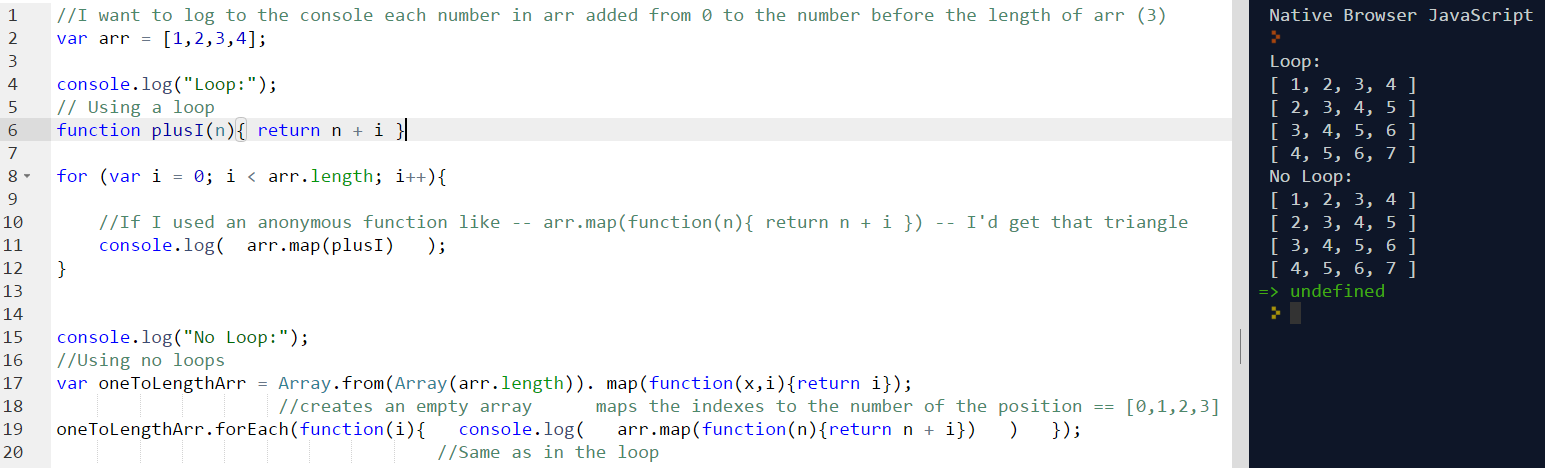
@fuqtedelements, element is a typo on my part here. I tried running the code again but the FCC editor pops up a yellow triangle that says “Don’t make functions within a loop”
Thanks for the links. I bookmarked them and will check those out for sure. Doing the functional programming right now.
'Allo, 'allo! Please use [spoiler] tags whenever posting answers to things. Having the spoiler warning in the title is great, but I’d like to keep expectations consistent.
I guess you’re not supposed to define a function within a loop - even an anonymous function. But you can define the function outside of the loop and pass it as the argument of the callback.
Honestly though when you gain a knowledge of callbacks and anonymous functions, you pretty much never need to use a loop.