Hello everyone,this is my survey form.please give me some feedback.thank you all.
Hello,
You are off to a great start.
I would recommend changing your measurements from pixels to percentages though. The problem with using pixels is that it yields a non responsive design. Elements will not change size regardless of your screen size. Likewise because the boundaries of your form container are set by pixel margins. those stay the same size and end up shrinking the container too much.
The following screenshot is what your form would look like on a cellphone.
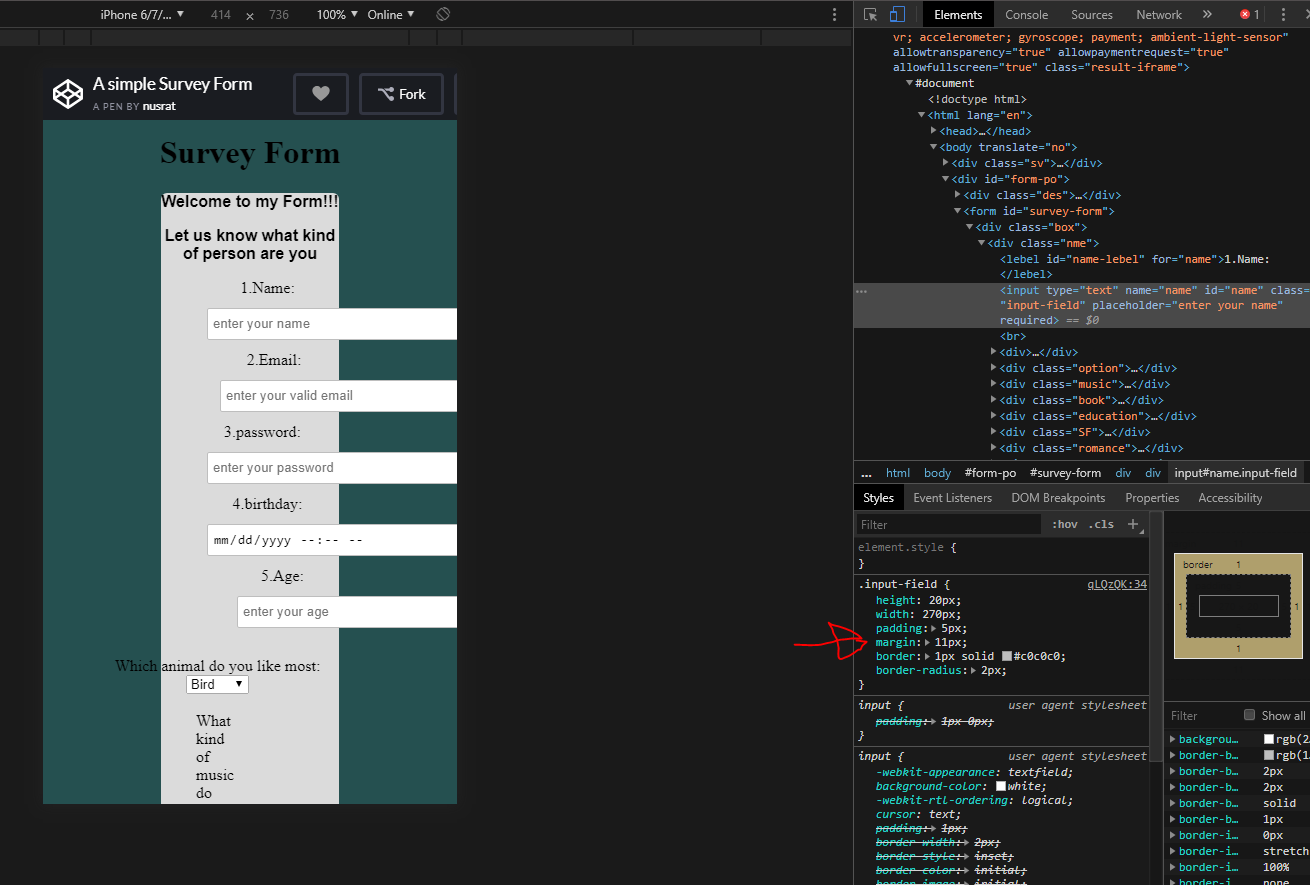
You can see how everything gets pushed out of the screen.
Here I made just a few changes to your code to show how that can be changed
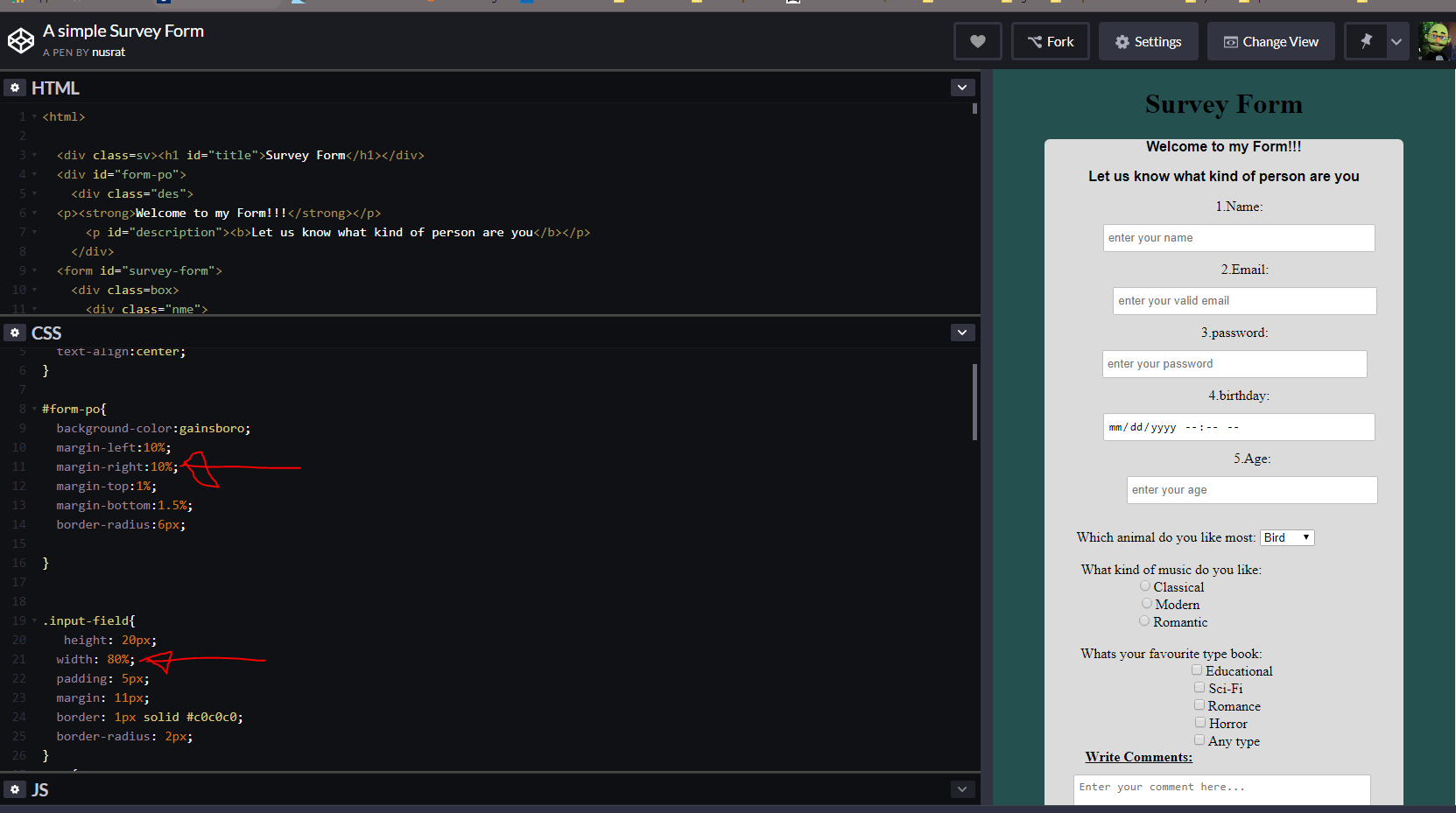
It is not perfect but you can see how by changing the values to relative units it starts handling smaller screens better.
One last thing the <style>

That is not needed when you are writing your css in a different file. You only use that when your css is going to be in the same document as your html.
Hope this helps
Happy coding
thanks you .yeah,i have some mistake.i will fix it now
you are welcome
Like I said you have a great start
-
The email input needs the required attribute on it. The email input should also use
type="email"(nottype="text"). -
You have misspelled label (you have lebel).
Run Seach and replace: Click into the HTML box and press “Ctrl + Shift + F” (might be “Ctrl + Alt + F” on some systems not sure). A box will pop up, first write lebel (what to replace), press Enter. Then in the next box write label, press Enter. Now, where it says “Replace?” click the button “all”.
-
Make sure you have the correct id attribute names for the inputs (id=“name-label”, id=“email-label”, and id=“number-label”).
-
Move the
id="dropdown"from the label to the<select>element. -
Give all your radio inputs a value attribute (
value="something").
You did well, don’t worry. This challenge has a lot to keep track of and it’s easy to miss or get some things wrong. Take you time.
thanks.i will fix it .