I recently completed my first certification (Responsive Web Design), and I changed my username afterward. However, I forgot to set my name in my profile before that, and now I’m unable to edit my name in the settings page.
I would like my full name to appear on the certificate as: Salah Al-Deen A. Al-Rhabi
the team is aware that there is issues with editing the profile, if you are in an hurry to add your name to your certification you can write to support@freecodecamp.org and they can help you there
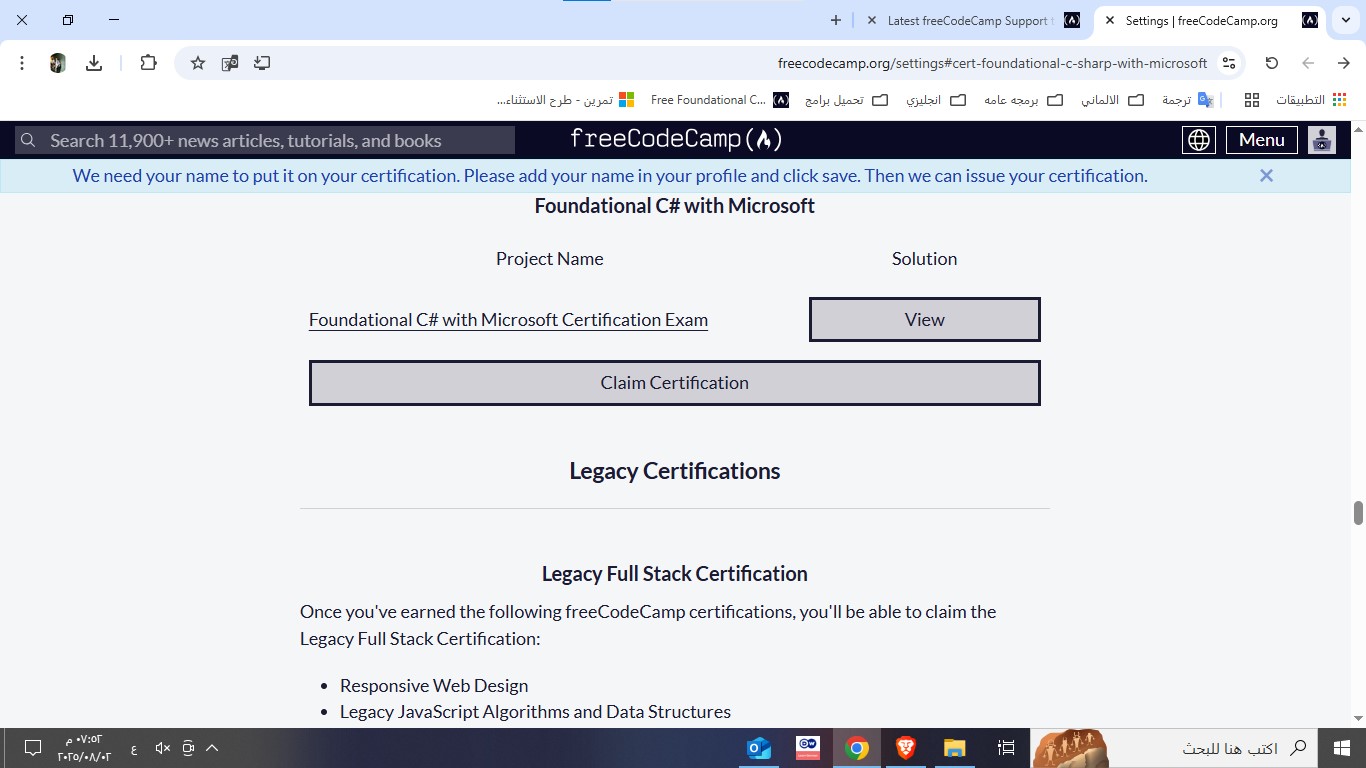
I recently completed the “Foundational C# with Microsoft” certification and tried to claim my certificate. However, it only shows my username instead of my real name.
It says:
“We need your name to put it on your certification. Please add your name in your profile and click save.”
But when I go to my profile settings, there is no field to enter a name — only the username field, which is already set.
I even tested this with a second account: at first, I was able to enter a name, but after changing the username once, the name field disappeared and is now locked on both accounts.
How can I add my full name to the certificate? Or is this a bug?
Hi, I just finished the “Responsive Web Design” course, but when I try to claim the certificate, I get a message saying I need to add a username to my profile. The thing is, I already have a username, so I’m not sure how to fix this.
I also tried to post a screenshot in the topic, but I wasn’t able to upload it.
Hello,
I have completed and claimed the “Scientific Computing with Python” certification. My profile and certifications are set to public in my settings. However, the certificate link loads infinitely for anyone who is not logged into my account (tested on multiple devices).
Here’s the link: https://www.freecodecamp.org/certification/CapriMoon/scientific-computing-with-python-v7
i completed the course “responsive web design” and when i tried to claim my certificate, it asked me to enter my name in my profile to issue the certificate.
but i can’t find any edit option to do so.