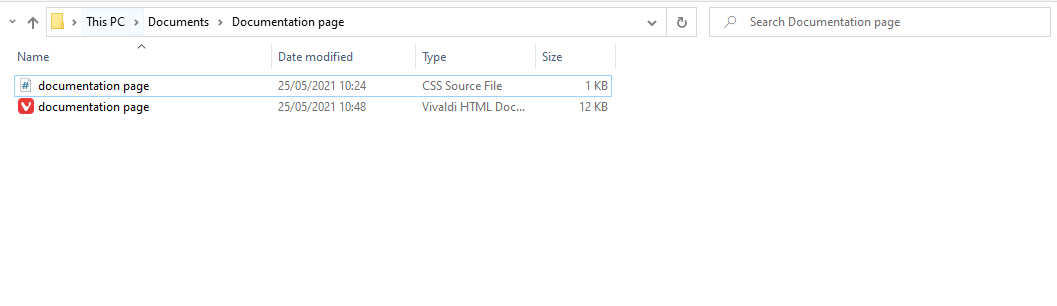
Tell us what’s happening:
I have set a background in ther html,body property within my CSS code. However when I save the CSS and html code and try to open it in my browser or microsoft edge, the background is below the bottom. I.e I need to scroll down to see it. This is very strange as you adjust the zoom within the page, the positioning of the background changes, as to always remain below the bottom.
Your code so far
CSS:
html,body {
font-family: ‘Roboto’, sans-serif;
background:blanchedalmond;
}
#navbar {
position: fixed;

width: 300px;

height: 100%;

border-color: #00131c;

border-right: 4px solid #0a4b78;
}
nav > header {
font-size: 25px;

font-weight: bold;

text-align: center;

padding: 5px;
}
nav > ul > li {
list-style-type: none;

text-align: center;

padding:5px;

border-top: 3px solid #0a4b78;
}
nav > ul > li > a {
color:black;
}
#main-doc{
position: absolute;

margin-left: 310px;

padding: 20px;

margin-bottom: 110px;
}
.details {
padding: 10px;
}
.main-section > header {
 font-size: 25px;

font-weight: bold;
}
.sub-heading{
font-weight: bold;

padding: 10px;
}
section > ul > li {
margin-left: 15px;
}
HTML:
<header> Python </header>

<ul class="list-unstyled">

  <li><a class="nav-link" href="#Introduction"> Introduction </a> </li>

  <li><a class="nav-link" href="#Interpreter"> Interpreter </a></li>

  <li><a class="nav-link" href="#Variables">Variables</a> </li>

  <li><a class="nav-link" href="#Indentation"> Indentation </a></li>

  <li><a class="nav-link" href="#Statement_and_control_flow">Statement and control flow</a></li>

  <li><a class="nav-link" href="#Expressions">Expressions</a></li>

  <li><a class="nav-link" href="#Data_types">Data types</a></li>

  <li><a class="nav-link" href="#Programming_examples"> Programming examples </a></li>

  </ul>
<header>Introduction</header>

<p class="details">Python is an interpreted high-level general-purpose programming language. Python's design philosophy emphasizes code readability with its notable use of significant indentation. Its language constructs as well as its object-oriented approach aim to help programmers write clear, logical code for small and large-scale projects.

Python is dynamically-typed and garbage-collected. It supports multiple programming paradigms, including structured (particularly, procedural), object-oriented and functional programming. Python is often described as a "batteries included" language due to its comprehensive standard library.

</p>

<p class="details">Python is created the following philosophy</p>

  <ul>

  <li>Beautiful is better than ugly.</li>

  <li>Explicit is better than implicit.</li>

  <li>Simple is better than complex.</li>

  <li>Complex is better than complicated.</li>

  <li>Readability counts.</li>

</ul>
To run python programs, you will need a python interpreter installed and running. It can be downloaded from here.
Once installed open the python shell and run the following code to test it is working:

</p>

<pre>

  <code>print("Hello World!")</code>

</pre>


<p class="details">

If the set up was completed succesfully this will return Hello World! within the shell.

</p>
<header>Variables</header>

<p class="details">

  Unlike in other programming languages which require variables to be declared. In python, there is no such requirement. Variables are created the moment they are assigned a value.

</p>

<p class="details">To declare an integar:</p>

<pre>

  <code>x=10</code>

  <code>print(x)</code>

</pre>
<header>Indentation</header>

<p class="details">Python uses whitespace indentation, rather than curly brackets or keywords, to delimit blocks. An increase in indentation comes after certain statements; a decrease in indentation signifies the end of the current block. Thus, the program's visual structure accurately represents the program's semantic structure. This feature is sometimes termed the off-side rule, which some other languages share,

   but in most languages indentation doesn't have any semantic meaning. The recommended indent size is four spaces</p>
<header>Statement and control flow</header>

<p class="details">Pythons statements include (among others):</p>

<ul>

  <li>The assignment statement,using a single equals sign =</li>

  <li>The if statement, which conditionally executes a block of code, along with else and elif(a contraction of else-if)</li>

  <li>The for statement, which iterates over an iterable object, capturing each element to a local variable for use by the attached block.</li>

  <li>The while statement, which executes a block of code as long as its condition is true.</li>

  <li>The try statement, which allows exceptions raised in its attached code block to be caught and handled by except clauses; it also ensures that clean-up code in a finally block will always be run regardless of how the block exits.</li>

  <li>The raise statement, used to raise a specified exception or re-raise a caught exception.</li>

  <li>The class statement, which executes a block of code and attaches its local namespace to a class, for use in object-oriented programming.</li>

  <li>The def statement, which defines a function or method.</li>

  <li>The with statement, from Python 2.5 released in September 2006,  which encloses a code block within a context manager (for example, acquiring a lock before the block of code is run and releasing the lock afterwards, or opening a file and then closing it), allowing resource-acquisition-is-initialization (RAII)-like behavior and re-places a common try/finally idiom. </li>

  <li>The break statement,exits from a loop.</li>

  <li>the continue statement,skips this iteration and continues with the next item.</li>

  <li>The del statement, removes a variable, which means the reference from the name to the value is deleted and trying to use that variable will cause an error. A deleted variable can be reassigned.</li>

  <li>The pass statement, which serves as a NOP. it is syntactically needed to create an empty code block.</li>

  <li>The assert statement, used during debugging to check for conditions that should apply.</li>

</ul>

<p class="details">

The assignment statement (=) operates by binding a name as a reference to a separate, dynam-ically-allocated object. Variables may be subsequently rebound at any time to any object. In Py-thon, a variable name is a generic reference holder and doesn't have a fixed data type associated with it. However at a given time, a variable will refer to some object, which will have a type.

 This is referred to as dynamic typing and is contrasted with statically-typed programming languages, where each variable may only contain values of a certain type.

</p>
Some Python expressions are similar to those found in languages such as C and Java, while some are not:
<li>Addition, subtraction, and multiplication are the same, but the behavior of division differs. There are two types of divisions in Python. They are floor division (or inte-ger division) // and floating-point/division. Python also uses the ** operator for exponentiation.</li>

<li>From Python 3.5, the new @ infix operator was introduced. It is intended to be used by libraries such as NumPy for matrix multiplication.</li>

<li>From Python 3.8, the syntax :=, called the 'walrus operator' was introduced. It as-signs values to variables as part of a larger expression.</li>

<li>In Python, == compares by value, versus Java, which compares numerics by val-ue and objects by reference. (Value comparisons in Java on objects can be per-formed with the equals() method.) Python's is operator may be used to compare object identities (comparison by reference). In Python, comparisons may be chained, for example a <= b <= c.</li>

<li>Python uses the words and, or, not for its boolean operators rather than the sym-bolic &&, ||, ! used in Java and C.</li>

<li>Python has a type of expression termed a list comprehension as well as a more general expression termed a generator expression. </li>

<li>Anonymous functions are implemented using lambda expressions; however, these are limited in that the body can only be one expression.</li>

<li>Conditional expressions in Python are written as x if c else y (different in order of operands from the c ? x : y operator common to many other languages).</li>
Integar
In Python 3, there is effectively no limit to how long an integer value can be. Of course, it is constrained by the amount of memory your system has, as are all things, but beyond that an integer can be as long as you need it to be.
Floating-Point Numbers
The float type in Python designates a floating-point number. float values are specified with a decimal point. Optionally, the character e or E followed by a positive or negative integer may be appended to specify scientific notation:
    type(4.2)

     <class 'float'>
Complex Number
Complex numbers are specifed as <real part> + <Imaginary part>. for example:
    2+3j

    (2+3j)

    >>>type(2+3j)

    <class 'complex'>
Strings
Strings are sequences of character data. The string type in Python is called str.
String literals may be delimited using either single or double quotes. All the characters between the opening delimiter and matching closing delimiter are part of the string:
    >>>print("I am a string.")

    I am a string.

    >>>type("I am string.")

    <class 'str'>
Boolean
Python 3 provides a Boolean data type. Objects of Boolean type may have one of two values, true or false:
    >>>type(true)

    <class 'bool'>

    >>>type(false)

    <class 'bool'>
<header> Programming examples</header>

<p class ="details"> Hello world program:</p>

<pre>

<code> print('hello,world!') </code>

</pre>

<p class="details"> Program to calculate the factorial of a positive integar </p>

<pre>

<code>

n = int(input('Type a number, and its factorial will be printed: '))

if n < 0:

  raise ValueError('You must enter a non negative integer')

factorial = 1

for i in range(2, n + 1):

  factorial *= i

print(factorial)

</code>

</pre>
Your browser information:
User Agent is: Mozilla/5.0 (Windows NT 10.0; Win64; x64) AppleWebKit/537.36 (KHTML, like Gecko) Chrome/89.0.4389.91 Safari/537.36.
Challenge: Build a Technical Documentation Page
Link to the challenge: