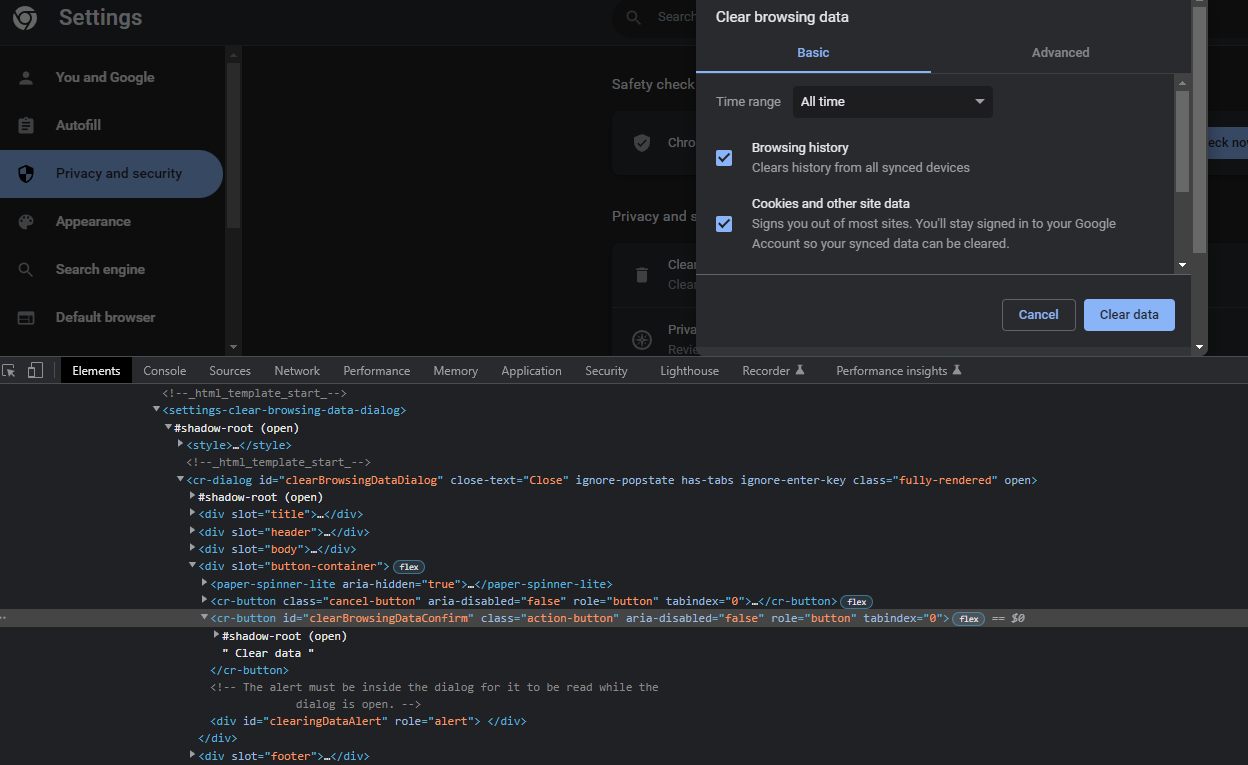
Hello Everyone,
Good day to all of you.
I am getting the above error while I run this code, as a self taught person I am finding it bit hard to understand what I have done wrong.
Any support would be highly appreciated.
Thank you.
def expand_shadow_element(element):
  shadow_root = browser.execute_script('return arguments[0].shadowRoot', element)
  return shadow_root

browser.get("chrome://settings/clearBrowserData")


root1 = browser.find_element_by_tag_name('settings-ui')
shadow_root1 = expand_shadow_element(root1)

root2 = shadow_root1.find_element_by_css_selector('#main')
shadow_root2 = expand_shadow_element(root2)

root3 = shadow_root2.find_element_by_css_selector('settings-basic-page')
shadow_root3 = expand_shadow_element(root3)

root4 = shadow_root3.find_element_by_css_selector('#basicPage > settings-section:nth-child(9)')
shadow_root4 = expand_shadow_element(root4)

root5 = shadow_root4.find_element_by_css_selector('#basicPage > settings-section:nth-child(9) > settings-privacy-page')
shadow_root5 = expand_shadow_element(root5)

root6 = shadow_root5.find_element_by_css_selector('settings-clear-browsing-data-dialog')
shadow_root6 = expand_shadow_element(root6)

root7 = shadow_root6.find_element_by_css_selector('#clearBrowsingDataDialog')
shadow_root7 = expand_shadow_element(root7)

clearDataButton = shadow_root7.find_element_by_css_selector("#clearBrowsingDataConfirm")
clearDataButton.click()
Thank you very much for your response.
camperextraordinaire:
What is the exact error message? It should indicate a line of code.
J.Rambo:
This is the error message I have been getting :#main ’)
root1 = browser.find_element_by_tag_name('settings-ui')
shadow_root1 = expand_shadow_element(root1)
I see these two lines. You assign the value returned from expand_shadow_element(root1) to shadow_root1. If the next line:
root2 = shadow_root1.find_element_by_css_selector('#main')
is where the error occurs, then I would assume shadow_root1 does not have what you think it should have in it.
I also notice you are using the find_element_by_tag_name method but passing something called settings-ui. I am not aware of any tag in HTML named settings-ui. Are you sure that is not a class name or id?
Nope it’s not. The below is the article I was referring to code the above.
Accessing shadow DOM tree with selenium
As a self taught person I didn’t know exactly what I was coding. I just tried replicating what I learnt in the post.
All I was trying to do is to click the “Clear Data” button in chrome settings.
camperextraordinaire:
What does the HTML file you are using against the code above look like? It might help us to understand what you are at least trying to do. Also, is this the full Python code?
I am actually trying to click the “Clear Data” Button of “Clear Browsing Data” on chrome ;chrome | settings | clearBrowserData
There is a small part of code which tries to do some search and find data. This part of the script has been working fine. All I need is to access the link above and clear the cache and history apart from clearing the cookies which is already available in Python.