A business cat wearing a tie.
My teacher bot is telling me the alt can not be empty. Looks full to me. What is going on?
**Your code so far**
<h2>CatPhotoApp</h2>
<main>
<img src=https://cdn.freecodecamp.org/curriculum/cat-photo-app/relaxing-cat.jpg>
<alt> A business cat wearing a tie.
<p>Kitty ipsum dolor sit amet, shed everywhere shed everywhere stretching attack your ankles chase the red dot, hairball run catnip eat the grass sniff.</p>
 <p>Purr jump eat the grass rip the couch scratched sunbathe, shed everywhere rip the couch sleep in the sink fluffy fur catnip scratched.</p>
</main>
**Your browser information:**
User Agent is: Mozilla/5.0 (Windows NT 10.0; Win64; x64) AppleWebKit/537.36 (KHTML, like Gecko) Chrome/96.0.4664.110 Safari/537.36
<img src="your image path" alt="any alternative text you want" title="optional anything you wnat">
you have given alt attribute outside your img tag
first of all let me clear here,
alt means alternative text, which is used whenever your image is not shown , reason can be anything like url moved or wrong, can be anything then your alternavitve text will show insted of image {alt} . thats the use of alt attribute .
title = > is used for showing additional information when someone hover over your image then it will show some information to your user.
for example take your mouse over below image and see it will show some information about image
@M.Will, Post all of your current code, not just one line.
When you enter a code block into a forum post, please precede it with a separate line of three backticks and follow it with a separate line of three backticks to make it easier to read.
You can also use the “preformatted text” tool in the editor (</>) to add backticks around text.
alt is not an HTML element you are not suppos to create alt like that “alt” reffers to if any how your image is not loading or image is broken then what it should render on screen like “” now can see in image is broken or no found it is rendering test image .
@M.Will, please post all of your current code. See my previous post on how to format.
On a side note, take a look at the sample code in the lesson to see how it’s formatted. As has been said multiple times, you are missing quotation marks.


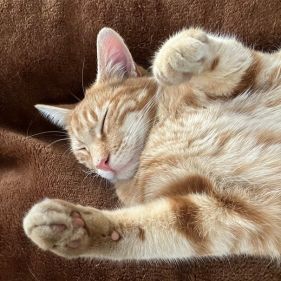 A business cat in a bowtie.