I can’t see what I write in the editor, when I attempt the coding task. I reviewed the help page for the same topic, but I am unclear about how to resolve it. I tried the task 3-4, maybe 5 times. I don’t understand what I am doing wrong. Thank you!
I have forgotten how to do that on my Chromebook, sorry. I suppose I could do a screenshot on my cell phone then email it to you?? Also, I have third party cookies blocked now, should they be unblocked for this website?
I would try to put “how to screenshot Chromebook” in a search engine. Research is pretty important when leaning how to code.
You don’t need to email anything, that’s what this forum thread is for.
Thank you JeremyLT, and Teller, for your help. I will try that input search and try it now. Also, what about third party cookies blocked? Does that have anything to do with not being able to see my coding attempts?
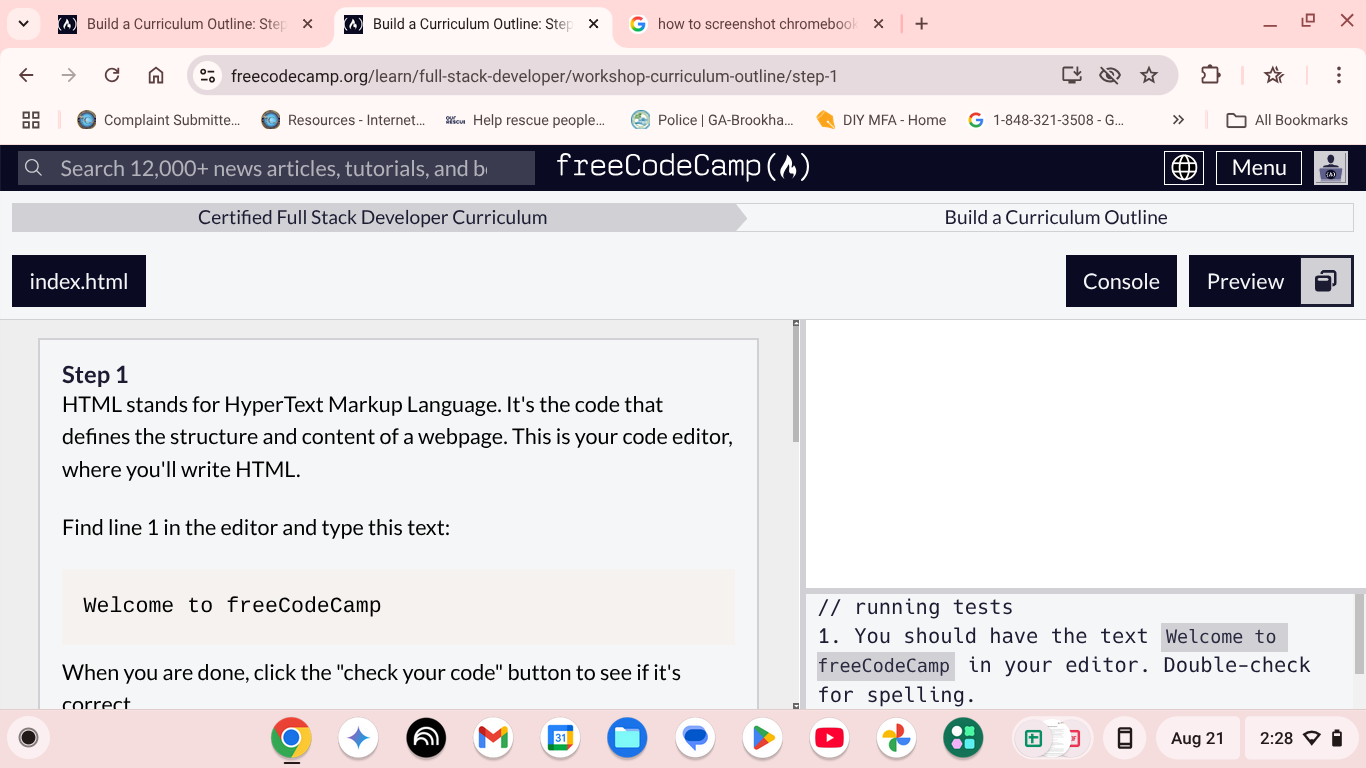
That’s my Chromebook screenshot. Hopefully, I did it right!! It’s my first one.
You need to scroll down - the place to type is below the instructions.
Okay thanks a lot!! I appreciate it.
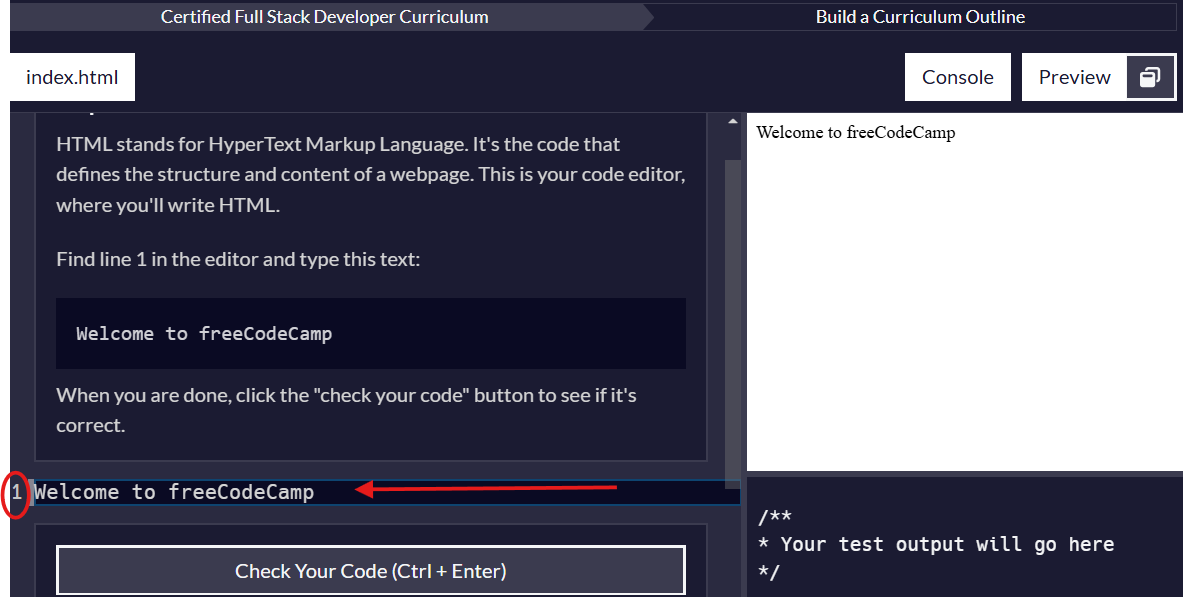
Oops! I replied to Jeremy instead of you.
It’s okay, we all make mistakes. Yes, now I understand where to type on the tasks. But, it’s not self explanatory, at least not for me, when you’ve not done this type of thing before. Also, I just finished with the workshop, and am wondering what is the next step/task? Thank you!
Sorry, I meant the tasks 1-11, before the workshop. Thanks!!
now thst you have finished the workshop continue to the next thing, I believe it’s a lecture block
OK, thanks so much!! I will try again. Oh, may I ask what ILM stands for? I’m just curious. Have a great day!!
That is off topic for this topic
But if you want to know, it’s a contraction of my name, because if I use my full name people tend to use gendered language more often