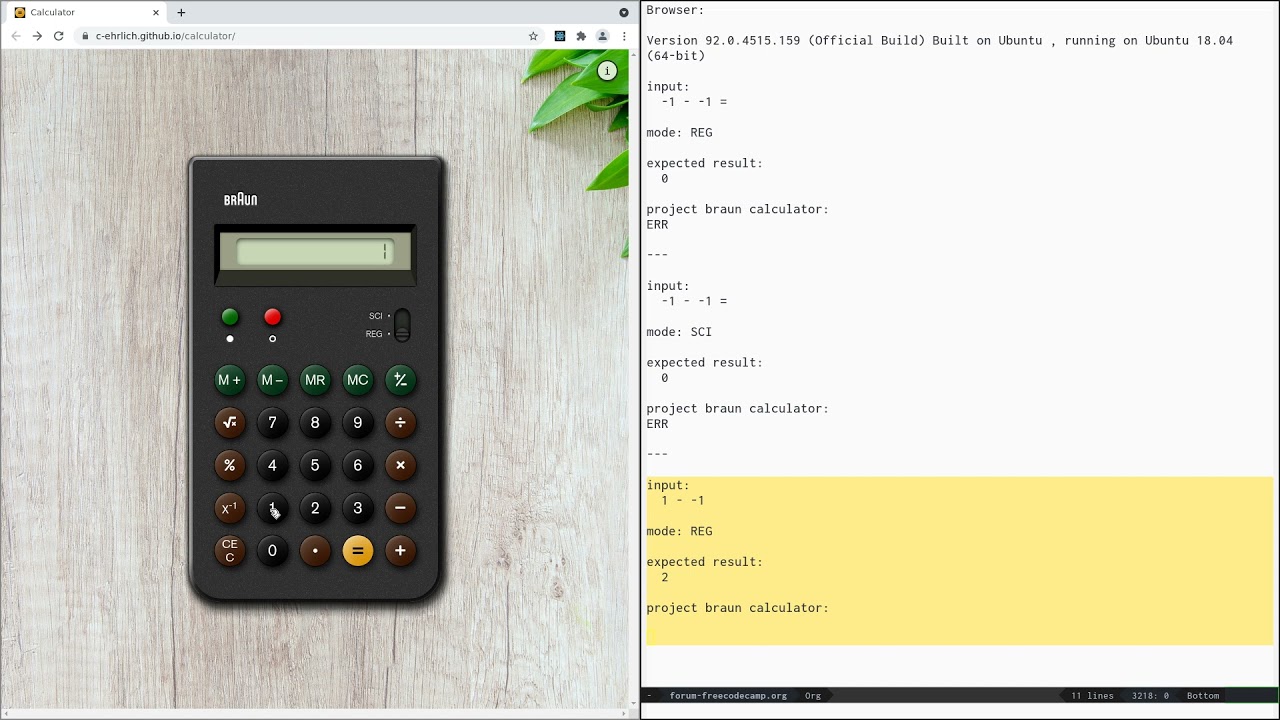
Hi, I would love some feedback on this project. I wanted to create a tribute to the iconic Braun calculators, so after passing the basic FCC requirements I focused on implementing the features (and limitations!) of an old physical calculator.
I spent a lot of time on trying to find all edge cases in both regular and scientific mode, so if anyone can point out a sequence of inputs that doesn’t behave as expected I would be very grateful.
Hi, cehrlich. What incredible amount of effort you put into this amazing project! Some feedback I’d suggest is that the calculator overflows when I use my mobile. Also, on desktop, It would be nice to know what does each button do on hover since some people (like me) may be not familiar with calculators’ functionality or can’t actually be able to recognize the button due to disabilities. I think that adding a title attribute to each button with the name of the button would help. For example: title=“Square root” for the inputSqrt button.
I think the horizontal scroll bar on narrow view ports is acceptable here since you are trying to precisely recreate the calculator.
Some of the buttons don’t have text associated with them so a screen reader user will not know what their function is. You can solve this by adding text inside the <button> to describe what it does and then visually hide the text so it doesn’t show up on the page. The same goes for the sci/reg switch.
Speaking of that switch, I’m not seeing a focus indicator when I Tab to it with the keyboard. Kitty Giraudel has an excellent article on making accessible toggles and she uses the same markup you are using.
On the info pop-up, rewrite the “click here” link.
Speaking of that pop-up, it is giving the appearance of a modal dialog but not acting like one. It should trap the keyboard focus so that it is not possible to Tab outside of it, such as to the calculator buttons underneath it. Modal dialogs are unfortunately hard to do correctly. Yet again Kitty has a good article on creating accessible dialogs.
But again, just want to say that this looks very nice.
I had actually already used Kitty’s code as reference to create my toggle. The problem is that 1px dotted #212121 is basically invisible against the background of my calculator, which I hadn’t noticed because I tested in Chrome and Safari (which apparently both prefer to use the webkit defaults focus element?) but not Firefox. Once again an important reminder to always test in all major browsers.
Just skimmed this page, will probably try to implement the focus trapping but more than that it seems to be an incentive to just modify other people’s components instead that are already thoroughly tested for accessibility than to try building my own where possible.
Thanks for pointing this out! These were all the same bug - javascript eval() doesn’t know what to do with 1--1. I fixed it by running replace(/-\s*-\s*(\d+)/g, "-(-$1)") on the string before sending it to eval.
I’ve also added a note on REG vs SCI to the info modal. REG mode evaluates in input order, SCI evaluates in formula order, ie 1+2*3 is 9 in REG more, 7 in SCI mode.