I believe i’m doing this right but the test is not passing. It says test runner failed, i don’t understand what the problem is. please help

you seem to not be in the correct workspace.
The correct workspace’s terminal has this prompt:

did you run code from the rdb-alpha directory?
(so you should be inside this directory and should be able to run pwd and see:
:~/rdb-alpha$
and from that path run code . )
Edit: make sure to run code . with the dot there
I did run code . from the rdb-alpha directory and i run Dev Containers: Rebuild and Reopen in Container in the command palette which then opened a new VScode windows.

this is what i have in my terminal after running pwd
Ok it seems to have start working after starting afresh. it automatically did npm install, i think that was what is missing in the project.
hmm. interesting. Yeah with docker setup it is supposed to install what you need. There’s a little popup dialog that lets you watch the log when it is running to see if there is any errors too.
hi
i have the same problem here can you tell in more detailes how you solved it
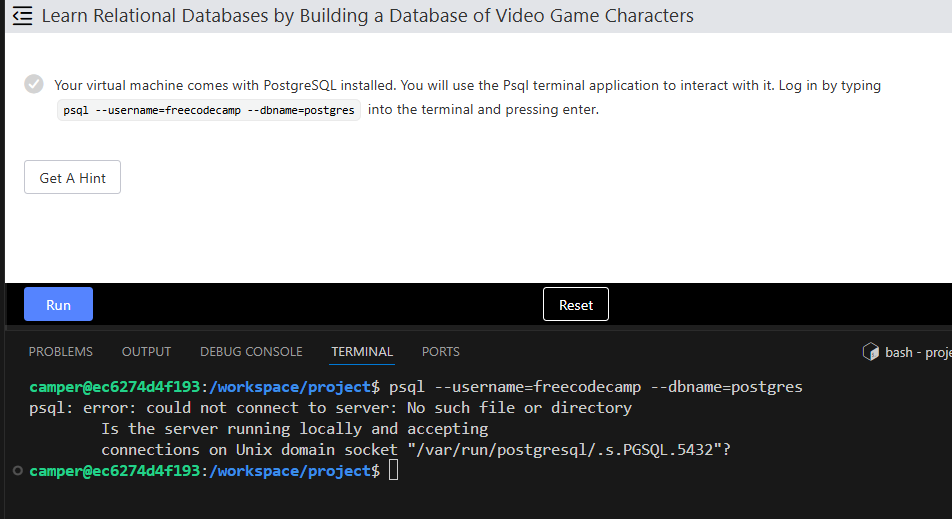
it was working with me but when i turned of my pc and then turned it on thaat happened > i did mant tries in between
i tried to delet containers again and again and build a new one like this post says "Rebuild and Reopen in Container" does not show up in DevContainers - #27 by hbar1st
but still thr same i dont know what is the wrong
what operating system are you using?
Hi,
To resolve the issue, follow these steps:
- Navigate to the
.freecodecampdirectory. - Run the command
npm installmanually to install the required dependencies. - Then execute the script
./setup.shmanually. This script will restart the PostgreSQL server.
After completing these steps, the problem should be resolved.
1 Like
it’s linux inside windows
anyway i tried and i get in the feecodecamp course mode but i still not passed

edit:
it worked with new terminal thx>
1 Like
Yeah I guess that is the first step mentioned so that would explain it! Glad you worked it out!
1 Like
hi, i have a tiny problem
my progress isn’t on feecodecamp website eventhough i opend a new vscode window and entered my token
The progress is shown if you use the token and click continue on the final step of the course you are in and then refresh the freecodecamp website to show the completed course.
when i refresh freecode website it gives a new token

so long as you used the original one when you first started the course? It doesn’t matter beyond that.
you may need to add the new token to your local environment, only one token is valid at a time
1 Like
somehow I never needed to do it and it always worked for me…but I don’t know, maybe I just never hit the issue
a token is canceled when you log out of freecodecamp, or click the button to generate a new token, so maybe you never did that?
right, I only refreshed the page to see the completion. I think that was the comment earlier from the OP
i ended the course then when i found that progress is not saved in the site i opened another window for vscode and added the new , i get back to site again it still not saved,
in the course vscode window i cant find docker file so i can edit the token, do i need to complete from the new window? Won’t I lose my progress?
and with the new window i face same old issue for entering course so to solve it i have to clean containers and that steps all that will make me lose my progress
adding the new code is not enough to make the website know you have completed the course.
The only way is to complete the course, click Continue, then refresh the website.